 THE GAME ARCHIVE
Precipice of Darkness, Episode One moves between clicking through New Arcadia, choosing questions in conversation and responding to combat with carefully timed inputs. Exploration lets you direct one character while companions follow; combat makes you watch readiness meters and enemy attacks. The distinction matters: choosing where to go and what to investigate uses a different rhythm from pressing the spacebar at the right moment to earn a counterattack.
A Created Character in a Clickable City
New Game begins with character creation. Name, Body, Face and Clothes are the customization categories, and your chosen appearance carries into both the 2D cutscenes and the 3D game world. That gives the created character a visual presence across two presentation styles rather than confining customization to a menu portrait. Once in Explorer Mode, point-and-click controls move that character through the world, with party members following automatically instead of requiring separate movement commands.
The cursor is your guide to interaction. Move it over a point of interest and it changes when something can be used; clicking then performs the interaction. New Arcadia contains characters, adventure items, breakable items, world interactions and hidden collectibles. A useful starting habit is therefore to inspect promising objects with the cursor rather than treating the scenery only as a route to the next enemy. The same basic click serves several kinds of discovery.
Conversations replace movement with dialogue choices, allowing questions or distinctive observations to shape the exchange. Click an option or press its number, then use Next or the spacebar to advance speech. You cannot save or visit the Startling Developments Detective Agency while a conversation is underway. If you want to record progress or consult your case information before talking, do that while still exploring rather than expecting those functions to remain available during dialogue.
The Agency Organizes Travel and Casework
During Explorer Mode, the Agency icon opens the Startling Developments Detective Agency. Its mouse-operated menus separate several practical tasks: Map handles travel between New Arcadia neighborhoods, Case Log reviews active cases, and Dossier provides information about characters and enemies you have met. These are useful distinctions when deciding what to check: use the log for current casework, the dossier for encountered figures, and the map when you are ready to change neighborhoods. Resume Game returns you to play.
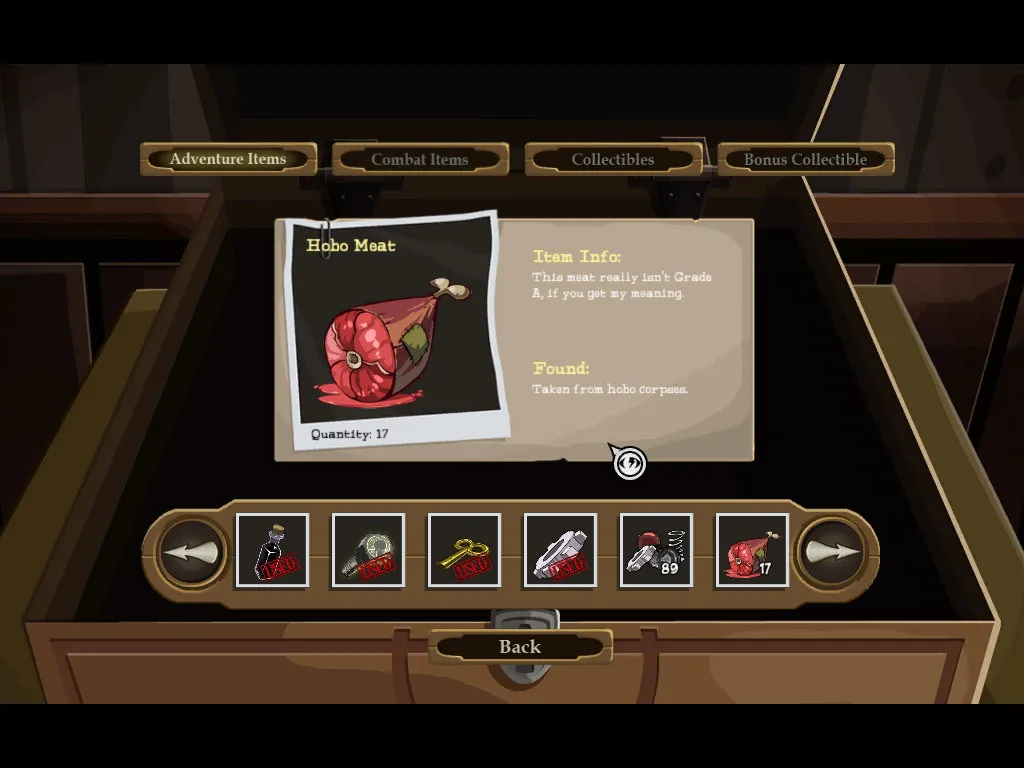
Inventory groups collected belongings into Adventure, Combat, Collectible and Bonus items. The Agency also lets you view unlocked cutscenes through Movies and listen to unlocked tracks through Music. Alongside the active-case record, those collections give you ways to revisit material already encountered or unlocked. They serve a different purpose from combat progression: browsing records and extras is separate from the leveling that opens additional Special Attacks.
Combat Requires Readiness and Defensive Timing
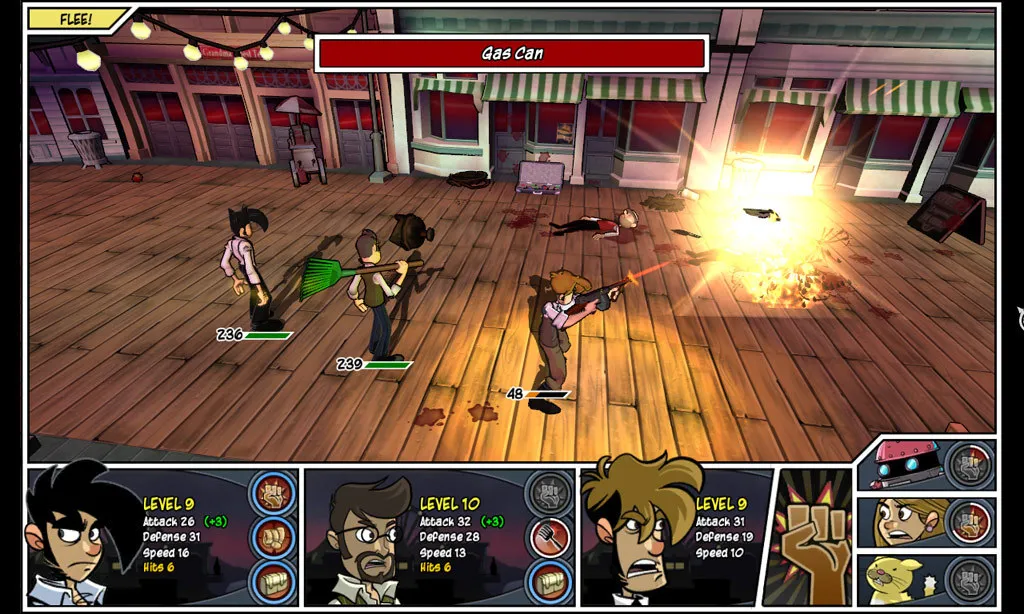
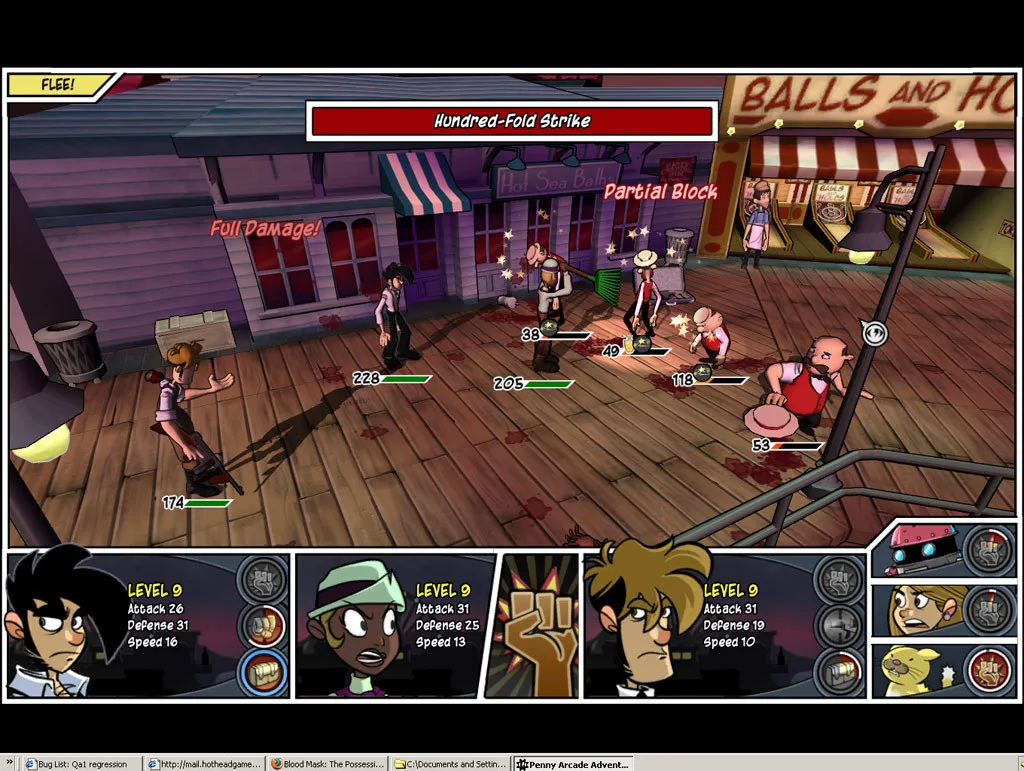
Walking toward an enemy starts Combat Mode, with a speech-bubble taunt warning you just before you enter fighting range. Actions then depend on timed initiative, displayed through dial-wipe meters. A corresponding Combat Action becomes available only when its meter fills; click the ready combat button to use it. For a Basic Attack, click its icon and then the intended enemy. The immediate decision is therefore not simply whom to attack, but which action is actually ready.
Defense gives you something else to watch besides filling meters. Press the spacebar to attempt a block against any attack. Better timing improves the result, while a perfect block awards a free counterattack. Timing differs between enemies, and their health bars provide a clue. Learning an opponent's timing consequently has an offensive benefit as well as a defensive one: a precisely judged response can produce another hit rather than merely reducing the impact of an incoming attack.
The Flee! button ends an encounter at any point during combat. There is no gameplay penalty for withdrawing, but used items are not returned. That qualification makes retreat worth distinguishing from undoing the fight: you can leave, yet resources already spent remain spent. Consider that rule before committing items to an encounter you may abandon, rather than assuming escape will restore everything to its earlier state.
Leveling Unlocks Character-Specific Special Attacks
Each party member has three Special Attacks, unlocked as they level up over the course of the game. Regular combat pauses while a Special Attack is in progress, shifting attention to its input sequence. Your created character uses a moving pointer: press the spacebar as it passes each of four targets. Hitting all four inflicts maximum damage and causes enemies to bleed briefly, rewarding accuracy with both immediate damage and a temporary additional effect.
Gabe requires two different rhythms within one sequence. Rapidly press the spacebar to fill a meter before time expires, then wait for the bar to cross the target zone and tap once more. Continuing to mash is not the whole task; the final stage calls for restraint and timing. Tycho instead uses directional matching, accepting either the arrow keys or W, A, S and D. Learning Specials thus means learning different input patterns, not applying one shared routine to every character.
Carnival Games Test Aim With Limited Attempts
Clicking a carnival vendor opens mini-game play, and winning earns Tokens. Balls and Holes asks you to pick up a ball, place it on the lane, then set direction and power with clicks; your ball supply is limited. Flying Pricks uses mouse aiming and clicks to throw a limited supply of darts at floating balloons. Vandalism gives you four chances to knock down bottles, stopping a top meter for horizontal aim and a side meter for vertical aim. Each makes careful placement or target selection matter because attempts are finite. Esc exits mini-games at any time.
Saving Between Activities
In Explorer Mode or on the Agency screen, Esc opens the Pause Menu rather than quitting a carnival game. That menu includes saving and loading, while Ctrl-S provides a quicksave shortcut. The game also saves automatically. Load a quicksave or autosave through the Pause Menu or Main Menu's Load Game option, giving you explicit save controls alongside automatic progress recording.
Sources & further reading.
- Precipice of Darkness, Episode One — official game profileRetrieved Nov 23, 2026
- Precipice of Darkness, Episode One — official game profile — publisher-supplied gameplay manualRetrieved Nov 23, 2026
First published .