 THE GAME ARCHIVE
Basic Controls: Walk, Run, Jump, and Crouch
On the area screen, walking is the base movement, while running is performed by holding the direction together with the B button. The manual separates these into distinct entries, so speed changes by combining inputs rather than a separate toggle. Crouching is listed only for Super Mario and Fire Mario, not for the small form. Jumping uses the A button, and holding A produces a higher jump. Jumping straight from a run covers more distance than a standing jump, letting the player cross wider gaps by linking run speed to the jump input.
The same directional input also governs movement during a jump: while airborne, holding the direction moves Mario through the air. The manual lists two jump variants beyond the basic A press: holding A for a high jump, and leaping far by jumping while running. Underwater, the A button becomes the swim action, and each press makes Mario float upward. Fire Mario's B button instead throws a fireball, and the same button performs a pause. These rules stack on one input set, so the effect of A or B depends on Mario's form and whether he is on land or in water.
Items and Power-Ups: From Mushrooms to Poison
According to page 22 of the official Japanese manual, the area contains various items. Striking a ? Block causes different items to emerge. A Mushroom transforms Mario into Super Mario, making his body larger. A Flower transforms him into Fire Mario, enabling him to use Fire Balls. A Star grants a period of invincibility. A Poison Mushroom causes a miss when touched, referencing the miss rules on page 9. These outcomes are listed directly in the item table.
The same manual page explains player-count items. A 1UP Mushroom increases the player count by one. Coins also increase the player count by one when 100 are collected. The manual notes that methods to increase the player count include coins and other means. A Poison Mushroom results in a miss when touched. The ? Block is the source from which various items appear when struck.
Special Actions: Shell Kicks and Run-Throughs
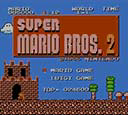
The shell technique begins by kicking a turtle shell. Once kicked, the shell slides along the ground and defeats any enemy it strikes. While the shell is sliding, you can stop it by stomping on it from above. However, a sliding shell that hits a pipe or similar object will bounce back toward you. Since contact with the rebounding shell results in a miss, you must either jump over it or stomp it from above to halt its motion. These rules define the shell's behavior and the required response.
The run-through action allows you to pass over a hole that is the same width as your body while running. This technique is performed simply by running, and it lets you cross narrow gaps without jumping. However, the manual specifies an exception: you cannot run through holes that are above invisible blocks. This means the run-through only works when the ground beneath the gap is clear of hidden obstacles. The action is therefore limited by the presence of invisible blocks in the terrain.
Progression: Clearing Areas and Worlds
Controlling Mario or Luigi, you advance through an area while defeating enemies; reaching the goal at the end of the area within the time limit clears it. The flagpole before the castle rewards a higher bonus score the higher you jump and grab it. If you hit an enemy or poison mushroom, fall into a hole, or run out of remaining time, you lose a life and restart from the beginning of the area; about halfway through, you can resume from the area's midpoint, though the final castle always starts from its entrance, and in World 8 every mistake forces a restart from the area's beginning.
Clearing four areas moves you to the next world, and rescuing the princess held in the final castle completes the game. After clearing, a star mark appears on the title screen; collecting eight star marks lets you play a special course. On the title screen, pressing a specific button combination lets you play the special course. Defeating enemies consecutively earns more points than defeating them one at a time, tying scoring to how you clear areas on the way to the princess.
Mistakes, Lives, and Checkpoint Rules
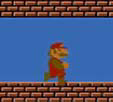
Misses are triggered by colliding with an enemy or a poison mushroom, falling into a pit, or letting the remaining time run out. A miss subtracts one from the player count, and play restarts from the start of the area. Getting hit by an enemy or poison mushroom while in Super Mario or Fire Mario state instead returns Mario to normal. Coins feed the economy separately: collecting 100 coins increases the player count by one, and the manual notes other methods beyond coins also exist for increasing player count.
A checkpoint rule modifies the restart point. If roughly half of the area has been traversed, a miss lets play resume from the area's midpoint, but the final castle always starts from its entrance. World 8 is the exception to the checkpoint rule: there, a miss always restarts from the beginning of the area. Bonuses remain separate from these restart rules; grabbing the flagpole before the castle higher yields a higher bonus score.
On-Screen Info and 1P/2P Switching
The on-screen display comprises four elements: coin count, character name and score, current world and area, and remaining time. The manual states that points are gained by defeating enemies or by jumping onto a pole. Score display thus updates during play. Defeating enemies consecutively yields higher points than defeating them one by one. The four elements correspond to numbers ❶ through ❹ as labeled in the manual. Coin count appears as ❶, character name and earned score as ❷, current world and area as ❸, and remaining time as ❹.
To switch between 1P and 2P, hold the + and - buttons simultaneously while pressing the A button. According to the manual, this allows you to toggle between 1P and 2P on a single 3DS system. If you switch to 2P and find that you cannot control the character, the manual advises switching back to 1P. This action is described on page 8 under section 4, titled 1P and 2P switching. The manual specifies that the switch is performed on one 3DS system.
Sources & further reading.
- スーパーマリオブラザーズ2 — official game manual Retrieved Oct 15, 2026
First published .