 THE GAME ARCHIVE

Boots on the Ground: Movement, Aiming and the Opening Objective
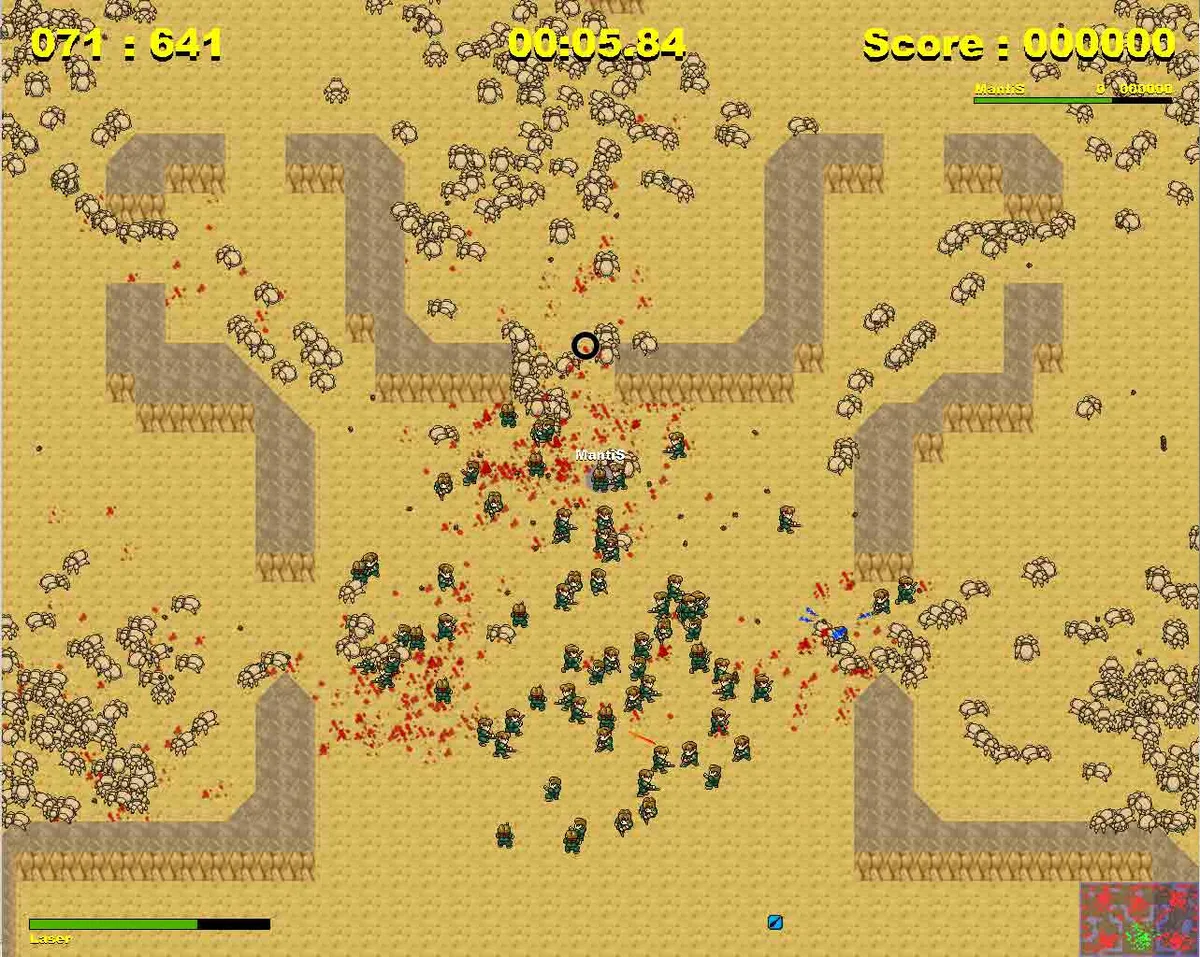
Your soldier moves with either the W-A-S-D or W-A-X-D key layout. That puts movement in the left hand while the mouse controls aiming, and firing is bound to the left mouse button, pairing mouse-directed aim with a single fire input. On the battlefield the green soldiers form your army, and you control one of them. Human-controlled soldiers carry a blue circle beneath them and their name written above the head, a marker that separates players from the rest of the green figures.
The stated goal is to kill all enemies on the battlefield, and the main enemy force is bugs that can be born from nests. Silver or gold blinking reinforcement symbols increase the size of your army when taken. Death sends you to a respawn point only if your army still holds more than zero non-human-controlled soldiers; otherwise you lose. This links the opening objective to army size: a wiped-out army removes the respawn safety net, so the fleet of green soldiers is both your weapon and your extra lives.
Your Army and the Bugs: Units, Reinforcements and the Respawn Bargain
On the battlefield, the green soldiers make up your army, and you control one of them. Human-controlled soldiers are marked with a blue circle beneath them and their name written above their head, while the main enemy force consists of bugs that can be born from nests. The stated goal is to kill all enemies on the battlefield. To grow your army, you collect reinforcement symbols that blink silver or gold, adding to the number of soldiers under your command.
Death does not immediately end the match. If you die while your army still contains more than zero non-human-controlled soldiers, you are reborn at a respawn point. If that condition fails, meaning no such soldiers remain, you lose instead. This makes reinforcement symbols the resource that keeps the respawn bargain alive: collecting the blinking silver or gold pickups raises the headcount that must stay above zero for a fallen soldier to return to the fight.
Barking Orders: Follow, Attack, Defend and Base Construction
Squad orders sit on four keys that switch the behavior of the soldiers around you. Pressing Q makes nearby soldiers follow, while E sends them to attack the location you point at with the mouse. C puts them on defense: they hold the position they are standing on, shoot better than in normal mode, but do not move at all. Y returns soldiers to their normal behavior state after any of these commands has been given. The trade-off is clear in play: attack projects force toward a target, defense trades mobility for accuracy, and follow keeps the group together for the next push.
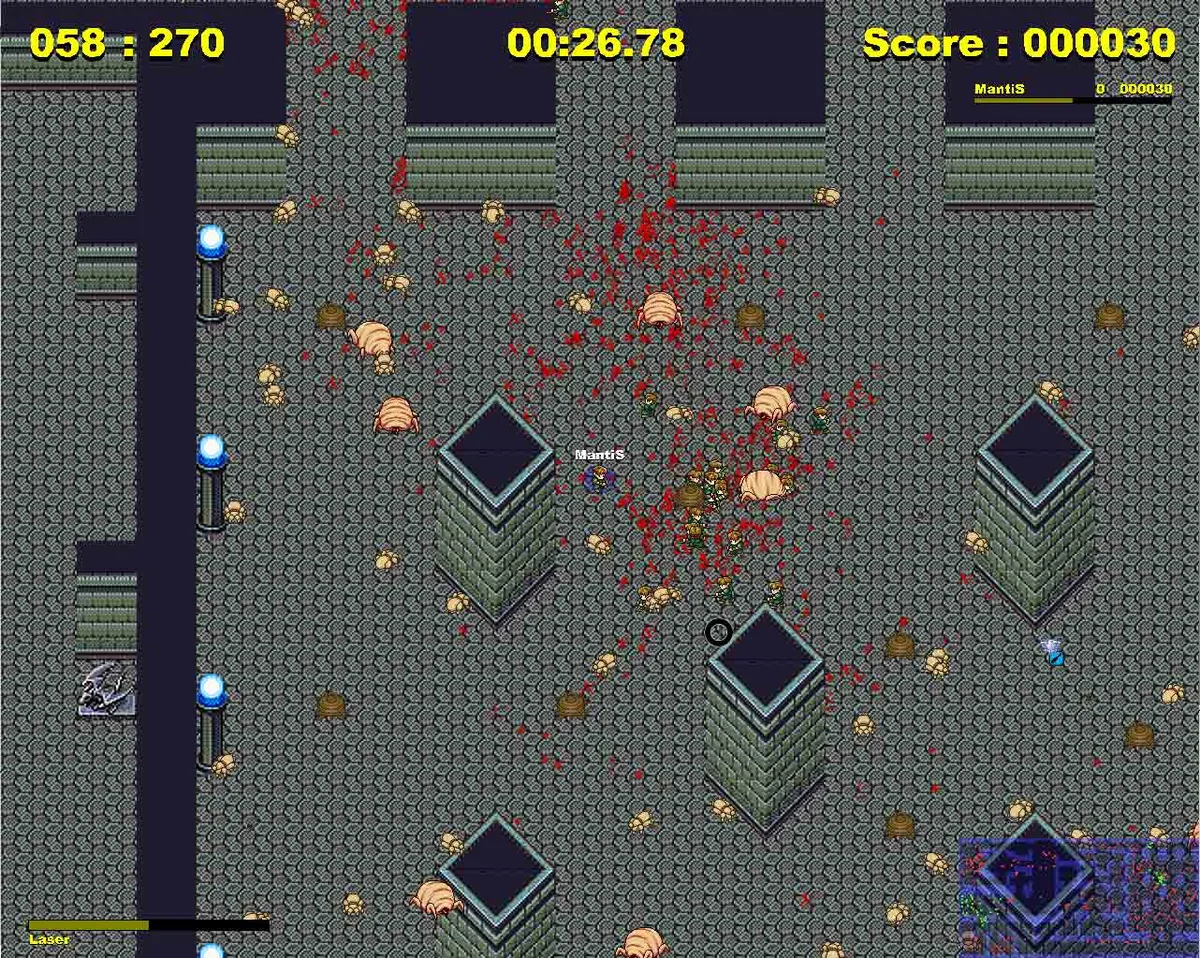
Construction uses three separate build keys. R places a laser tower, F a rocket tower, and V a teleporter that beams in support troops from time to time. Soldiers must stand around the construction site to finish the building, and the player soldier does not count toward that requirement, so building is a squad commitment rather than a solo action. Separately, ENTER opens chat mode, and the number block keys 0 through 9 send predefined hotkey messages; the message contents are defined by editing the hotkey messages text file. ESC leaves the game, and if the host leaves, all other players stop playing too.
Firepower and Level-Ups: Weapons, Specials and Skill Picks
The weapon roster is organized into four damage families with a total of fourteen fire modes. Grenade weapons listed are the Grenade-Launcher, Grenade-Minigun and Multi-Grenade; ion arms run from Ion-Minigun and Ion-Shotgun through Multi-Ion; laser hardware spans Laser-Minigun, Laser-Shotgun, Mega-Laser and Multi-Laser. The rocket line includes the Rocket-Launcher, Rocket-Minigun and Multi-Rocket. Each family therefore offers a repeating-fire option alongside heavier and spread patterns, giving a player several ways to answer the same battlefield problem.
Specials supply three distinct battlefield tools. The Ion-Pulse fires a pulse in every direction, covering the space immediately around the user rather than a single aimed line. The Medkit provides healing, while the Nuke damages anything in the near surroundings, turning the area around the detonation into a hazard. Progression feeds into this loadout: reaching a level up opens a skill choice made with the 1 through 7 number keys, so seven selectable options appear at that moment.
Modes, Servers and the Long Wait for Synchronization
Six modes set the shape of a match: Standard, Survival, Deathmatch and Capture the Flag, with the latter two offered both with and without aliens. Online play runs through dedicated game servers, which you can join or host yourself for friends, alongside support for hundreds of enemies in a single battle. For a LAN without internet access, one player hosts and the others join by typing the host's IP address into the IP textbox. Hosting requires port 4009 open for incoming TCP/IP connections; if joining fails, the network configuration should be checked for that port.
Starting a match takes more than pressing play. Every player must set their state to ready, shown by a bracketed mark beside each name, with empty brackets for not ready and filled brackets for ready. A map and a game mode must also be chosen before the map loads. Seeing the map does not mean play has begun: after all clients finish loading, the game synchronizes for a few seconds, and since PCs load at different speeds, everyone waits for the slowest machine before the fight starts.
Starting Guidance: Ready Up, Pick a Mode and Protect Your Army
The practical priorities follow from the rules. Collect silver and gold reinforcement symbols because the army headcount is what lets a fallen player respawn, and keep an eye on that count before pushing into a dangerous area. Use Q to keep soldiers close, E to commit them to a target, and C when you want a stationary firing line that shoots better than normal, remembering that defending soldiers will not move. When you build a laser tower, rocket tower or teleporter, leave enough nearby soldiers to finish the job; your own soldier does not count toward construction. Before the map loads, set your ready state and confirm that a map and mode are selected, since the group then waits through synchronization.
Scroll sideways to see the full table →
| Documented element | What the source specifies |
|---|---|
| Movement and aim | WASD or WAXD; mouse aim; left mouse button fire |
| Squad orders | Q follow, E attack pointed location, C defend without moving, Y normal behavior |
| Construction | R laser tower, F rocket tower, V teleporter; soldiers must stand around the site and the player soldier does not count |
| Respawn | Reborn at a respawn point if the army has more than zero non-human-controlled soldiers |
| Level-up | 1 through 7 choose skills after a level up |
| Modes | Standard, Survival, Deathmatch (with and without aliens), Capture the Flag (with and without aliens) |
Sources & further reading.
- Walkover — official game profileRetrieved Nov 2, 2026
- Walkover — official game profile — publisher-supplied gameplay manualRetrieved Nov 2, 2026
First published .