 THE GAME ARCHIVE
Campaign Against Prescott Standard Industries
The campaign follows Hamilton Rourke, a former captain whose regiment was destroyed in a civil war, as he leads a small rebel group against Prescott Standard Industries. PSI is a military complex that seeks to restore order by crushing anyone in its path, and the resistance fights back with themes of salvation and vengeance driving the chapters. Rourke's personal stake is his missing fiancée, who went missing in action during the war, so his search runs alongside the larger fight against PSI's forces. Chapters are selected or continued from the campaign menu, with difficulty chosen before play begins.
Campaign progress is structured around clearing chapters, and completing them unlocks additional chapters and special features viewable from an unlockables screen. Levels are built as streaming post-industrial landscapes where players choose their own paths, and the publisher describes up to three hours of actual gameplay per level. The campaign can be played solo or in co-op, and previously unlocked chapters can be reloaded from the menu. The Steam product page lists a product date of 2009 for the game, separate from the manual's description of its campaign structure.
Gunplay, Melee, and the Tripmine Toolset
Combat in the PC version runs through a two-state control scheme built around the right mouse button. Holding it draws the weapon and enters combat mode, and from there the mouse aims while the WASD keys cover running and strafing. Firing is the left button, zooming is the middle button, and reload is mapped to its own key, so shooting, sighting in and reloading sit on separate inputs. Combat mode also gates weapon switching, with dedicated keys for the left and right weapon slots, letting Rourke swap between two prepared guns during a firefight.
Away from the firearm inputs, the manual assigns melee to a single key, giving Rourke a close-range strike that does not depend on being in combat mode. The tripmine is handled as part of the same toolset: placing a mine is a documented action, and combined with zoom, reload and weapon switching it rounds out the combat controls. These mechanics meet enemies the publisher describes as intelligent, giving chase and engaging in frantic gunfights with attacks that can arrive from any direction, so movement, aiming and mine placement all share the same battlefield.
Staying Alive: Regenerating Health and Checkpoints
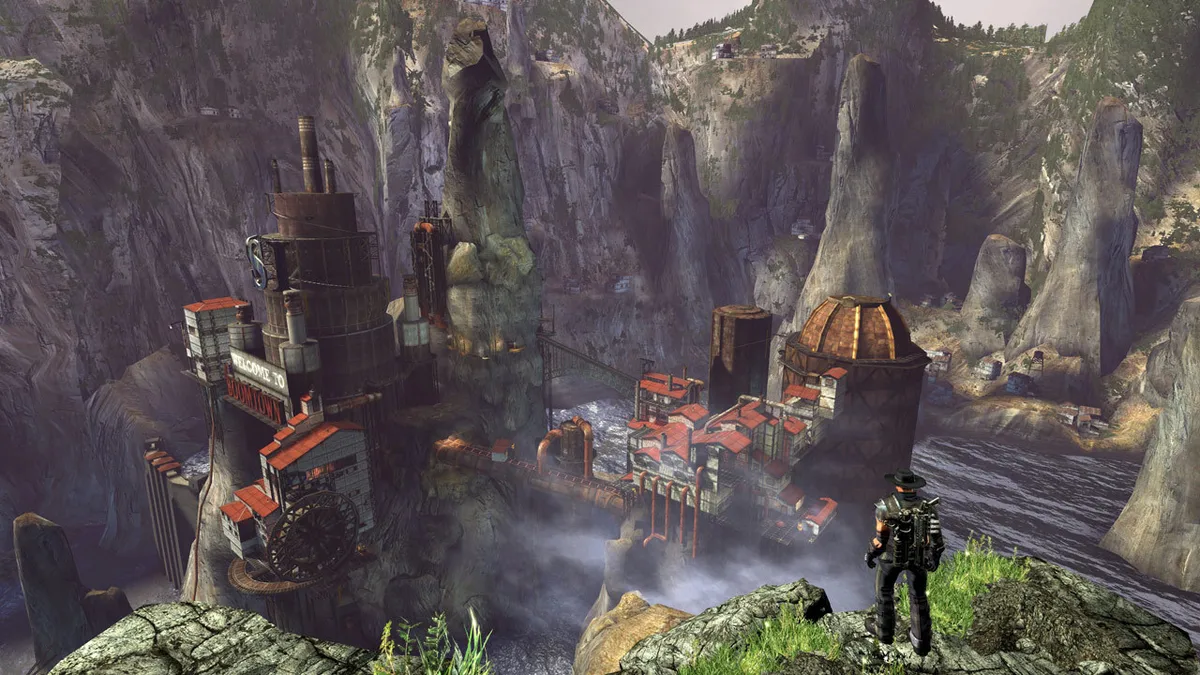
Damage in Damnation is communicated through the screen itself. As Rourke absorbs hits, the colors in the image steadily drain away, desaturating with each wound until death follows. Recovering health is a matter of position rather than supplies: if the player can reach cover in a safe location, health regenerates on its own. Not every source of harm can be walked off, though. Massive damage — the manual's example is falling from the edge of a cliff — kills instantly, bypassing the regeneration rule entirely. So the safe haven matters most against gunfire, while a misstep off a ledge gives no chance to heal.
When the player character dies, the run ends and the pause menu offers a way back in: loading the last checkpoint resumes gameplay from that saved location. In co-op the same death condition applies to any controlled character, so a single death can close out the session for the group. The checkpoint option appears alongside resuming the session, adjusting options for general configuration, audio, video and controller settings, and quitting to the main menu. Objectives are also displayed in this paused state, so players can check the current goal before resuming.
Motorbikes, Mobile Artillery, and Vehicle Controls
Damnation's vehicle roster ranges from wall-riding motorbikes to armor-piercing mobile artillery, giving the campaign a second mode of play alongside on-foot gunfights. Bikes are mounted and dismounted with a dedicated key, and once seated the controls shift to a vehicle scheme. Turning is handled with the left and right movement keys, acceleration with the forward key or the left mouse button, and braking or reversing with the back key or the right mouse button. The mouse also pans the camera while the vehicle sits stationary.
Boost is mapped to a key on the letter row and its paired symbol, letting the driver surge forward beyond normal acceleration. In co-op, the passenger role stays armed: holding the right mouse button draws a pistol, and the left button fires it, so a second player can shoot while the vehicle is moving. These vehicle bindings sit beside the on-foot combat scheme rather than replacing it, and mounting or dismounting a bike is a single documented action that returns the player to the ground controls.
Co-Op and Competitive Multiplayer Modes
Multiplayer splits into a cooperative campaign and a competitive versus menu. In co-op, two players can work through the entire campaign together, and the Steam product listing describes the co-op as drop-in, drop-out, so a session need not be arranged in advance. Selecting Campaign from the main menu lets a player start or continue a run alone or with a partner, or reload a previously unlocked chapter, then choose a difficulty level before play begins. The versus side supports eight players across Deathmatch, Team Deathmatch, Capture the Flag, and King of the Hill.
Joining either online co-op or competitive combat requires signing into GameSpy, and first-time online players must create a GameSpy ID before entering a session. The online portions are broadband only, connecting through DSL, cable modem, a higher-speed internet connection, a local area network, or wireless local access. From the Versus screen, players start or join a multiplayer game and then select the session type and other details. Back in Campaign, the same selection step covers both the solo and co-op paths.
Sources & further reading.
- Damnation — official game profile Retrieved Oct 21, 2026
- Damnation — official game profile — publisher-supplied gameplay manual Retrieved Oct 21, 2026
First published .