 THE GAME ARCHIVE
Swimming, Dashing and Building Speed Through the Ocean
Ecco moves through the water by swimming in all directions with the directional control, whether that is the D-pad or the keyboard's arrow keys. Beyond ordinary swimming, the Dash button performs a short-range, high-speed attack when pressed during a swim, letting Ecco lunge forward at an enemy or obstacle. Speed itself is built with the Accelerate button: tapping it repeatedly and then holding it down while swimming ramps Ecco up to a faster pace. The manual also notes that accelerating as Ecco jumps toward the surface produces a spin jump.
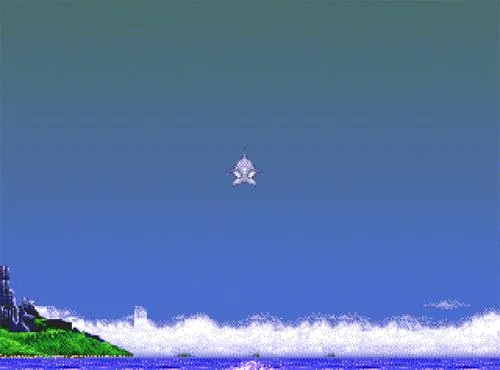
These motions play out against underwater environments marked by rocky walls, glyphs and other oceanic features. On the controller side, the manual states any Windows-compatible game controller will work provided it has a D-pad and at least four other assignable buttons; the game recognizes multiple attached controllers and can assign them to Player 1 or Player 2. The game opens in a submerged cavern, and swimming to the right begins Ecco's quest. Building speed, dashing and spinning out of the water are therefore part of the same movement set that carries Ecco through these spaces.
Sonar Songs, Glyphs and the Map of Undersea Features
Sonar serves two distinct purposes in the manual's control scheme. A normal press calls out to other singers or initiates conversation, making it the tool for communicating with sea life, enemies and glyphs. Holding Sonar down until the song returns switches to mapping: the returning song reveals a map of important undersea features. That map marks Ecco's position and passages through the rocky walls, prowling enemies and dangerous objects as orange circles, glyphs and other interesting objects, healing clams and air pockets as bubbles, and barriers and movable rocks and shells as orange blocks.
Glyphs are mysterious crystals scattered through the ocean depths, and their secrets can be gained by singing, by charging, or simply by swimming near them. Some glyphs give messages; others impart new songs needed to continue the journey. Barrier glyphs push Ecco away, so the player must work out how to move them, while power glyphs can bestow invincibility or refill the health and Breath Meters. Rocks, shells and island barriers block progress, and overpowering currents may be too swift to swim through, but the manual states every obstacle has a solution, perhaps in a message or waiting in a glyph, so movable rocks are worth searching for.
Health, Breath and the Shelled Ones
When Ecco roams the open seas, many things can hurt him. Taking damage drains his Health Meter, and if health runs out he sinks to the ocean depths and the level must be started over. The manual lists two ways to stay healthy: charge into a school of small fish to feed, or find healing clams known as the Shelled Ones and work out how to obtain and use their energizing gifts. The map that arrives from a held sonar call marks healing clams and air pockets as bubbles, so these restorative stops can be located while swimming.
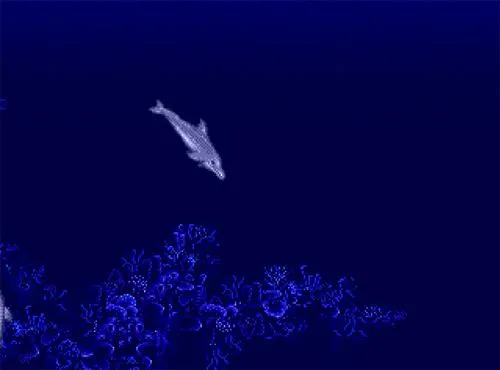
Breath works as a second resource that ebbs away over time, even in the deepest and darkest waters, so Ecco must always stay close to air. Running out of breath ends the quest and forces a restart of the level. Air is regained full immediately by leaping out of the water into open air or into an air pocket inside a submerged rocky cavern, or by pushing his nose above the water. Because air pockets are shown as bubbles on the sonar map, planning a route around them keeps the Breath Meter from emptying.
Barriers, Currents and the Long Swim to Rescue Ecco's Family
A whirlpool tears Ecco's home apart, and the dolphin's documented objective is to traverse the ocean, collect clues, rescue his family and bring them back to the bay. Progress is hemmed in by rocks, shells and island barriers, while overpowering currents can be too swift to swim through. The manual insists a solution exists for every obstacle, whether it arrives as a message or waits inside a glyph, and it recommends searching for movable rocks as one way forward. Charging is the documented way to break barriers or fight through currents.
Threats to the rescue swim are catalogued on the returned sonar map: prowling enemies and dangerous objects appear as orange circles, while barriers and movable rocks and shells appear as orange blocks, and passages through the rocky walls are marked alongside Ecco's position. Damage drains the Health Meter, and an emptied meter sinks Ecco to the ocean depths, restarting the level. Breath likewise ebbs away, and running out ends the quest and restarts the level, so Ecco must head for the surface, leap into open air, or find an air pocket in a submerged rocky cavern.
Level Passwords: Picking Up Mid-Journey
Resuming a journey in Ecco the Dolphin relies on the password shown when an ocean level starts, displayed alongside that level's name. On reaching the Password screen, the directional control selects a letter and the Insert action adds the highlighted character to the password at the bottom of the screen. Repeat this for each character, then press Start to continue from the corresponding level rather than the submerged cavern where the game begins.
Corrections during entry use the same directional control. The left or right arrows highlight a letter already placed in the password, and selecting a different letter replaces it; the Delete action removes a highlighted letter instead. On a default keyboard layout the directional keys handle this selection. Because each level's name and password are displayed on starting that level, the player can record both before stopping. The documented rule is only that a correctly entered password resumes progress from that ocean level.
Sources & further reading.
- Ecco the Dolphin™ — official game profile Retrieved Oct 16, 2026
- Ecco the Dolphin™ — official game profile — publisher-supplied gameplay manual Retrieved Oct 18, 2026
First published .