 THE GAME ARCHIVE
Gatling, Winder, and Lock-On: The Three-Shot Loadout
The Gatling Shot is the straightforward offensive option: a concentrated forward attack whose fire rate climbs when it is held continuously on an enemy. The manual calls it easy to use and versatile, applicable in many situations. Its charge variant fires a powerful shot directly ahead and is described as the strongest in attack power of all shot types, penetrating enemies and lasers. Keyboard play supports movement and shooting, with the cursor keys handling movement and the Z button mapped to accept and Gatling Shot.
The Winder Shot trades forward pressure for coverage. Its firing angle is adjustable within a set range, which suits spread-out enemy formations, but its forward offensive power and each individual bullet's power are weak, so high-resilience enemies may survive it. Holding the Bit button while moving forward or back adjusts the angle; a blue wing shape shows the available positioning range and a green line shows current directions of fire. The Lock-On Shot instead targets enemies on the screen and fires lasers guaranteed to hit, though with lower attack power than other shots.
Charge Shots and the Charge Gauge
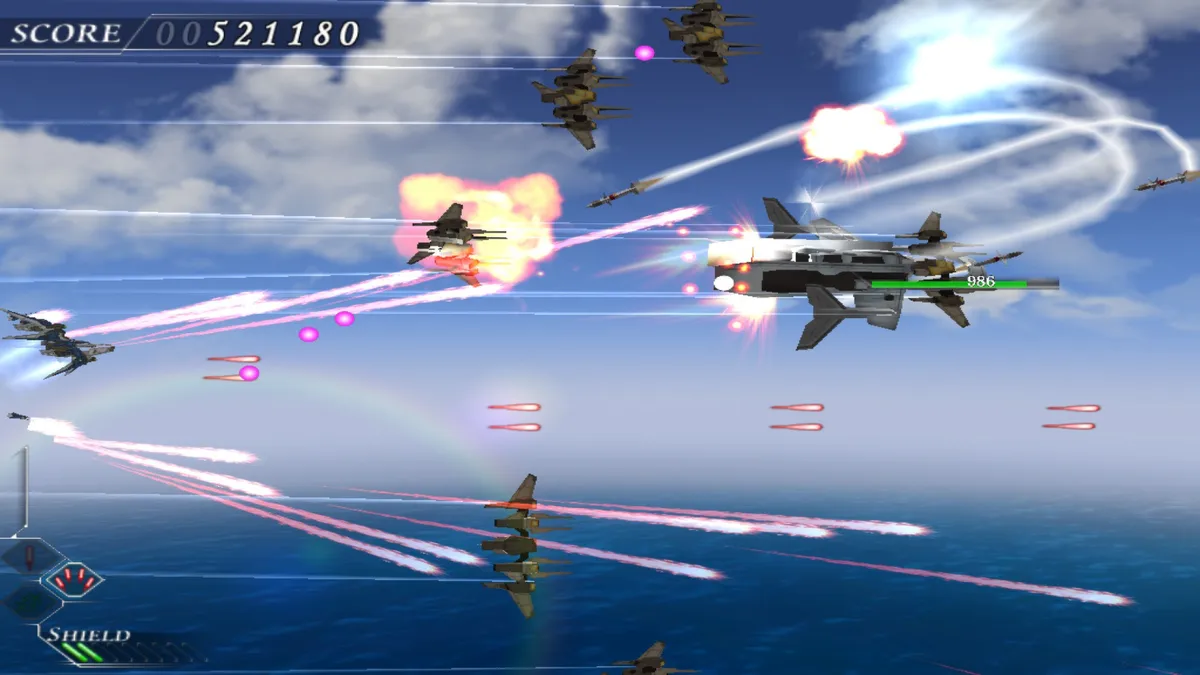
Every shot type carries a charge variant, but they are funded by a single shared resource: the Charge Gauge on the game screen. The bar fills whenever the Shot button is left unpressed, and once it reaches full a very powerful shot becomes available for use. Because charging depends on withholding fire rather than on hitting anything, the Gatling shot's reward for holding continuous fire on an enemy and the gauge's reward for not firing pull against each other, and the player has to decide when to stop attacking in order to bank the charge.
What the full gauge buys differs by weapon. The Gatling charge fires a powerful shot directly ahead and is the strongest in attack power of all shot types, penetrating enemies and lasers alike, so it trades the base weapon's steady forward pressure for one decisive pierce. The Winder charge instead throws up a shield around the player craft; its offensive power is weak, but it neutralizes most enemy attacks. The same bar therefore feeds either a piercing attack or a defensive bubble, and the choice of which shot is equipped determines which of those two payoffs the charge delivers.
Multi-Lock-On and Bonus Zones
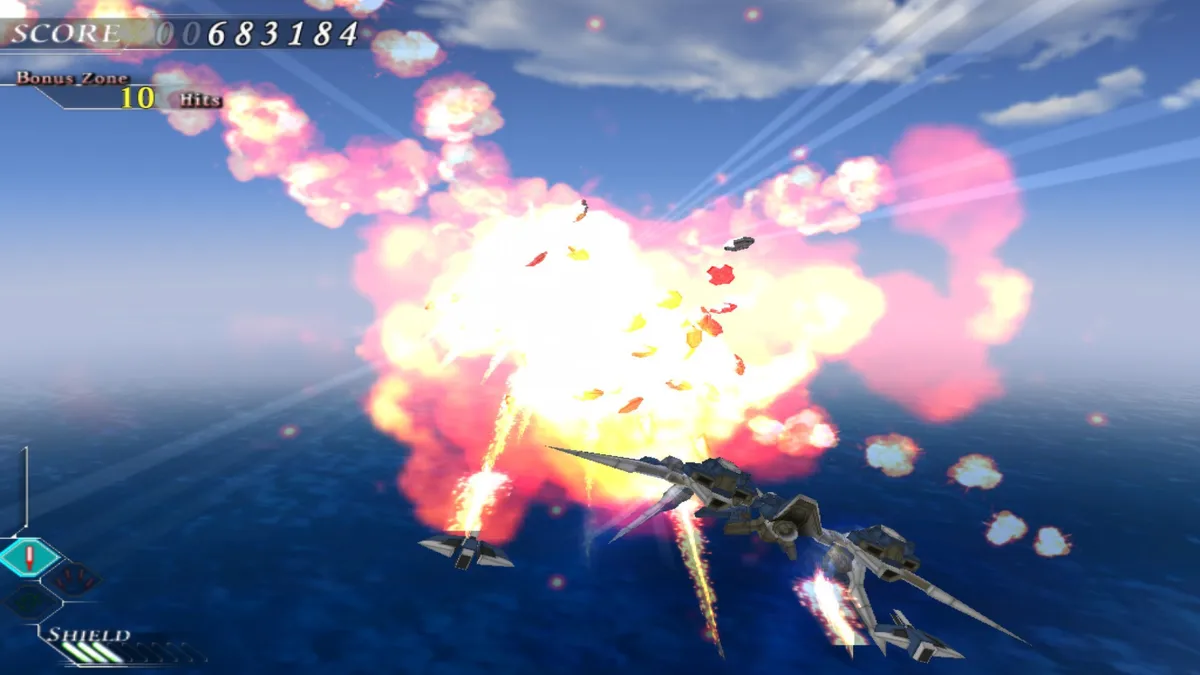
Multi-Lock-On Mode appears at certain points during play, when a targeting reticle shows up on the right side of the screen. The reticle moves freely under the player's control, and any targets that become locked can then be fired upon by pressing any of the three Shot buttons. This is the mechanic that lets the craft launch tens of missiles at once, and the official profile ties it to the Bonus Zones, where an entire battleship can be blown up. Free Scroll is a separate rule: the scroll direction shifts with the area of the game, but that has no effect on play, so even when the field scrolls toward the player, the craft is still driven with the up, down, left and right control scheme.
Bonus Zones are moments when a Bonus Zone label is displayed; destroying enemies while it is shown earns bonus points, so the reward is tied to how many foes fall inside that window. Two kinds of bonus points are tallied at the end of each stage: Time Remaining, based on how much time is left when a boss battle finishes, and Enemies Destroyed, covering the number of enemies and enemy bullets destroyed, with higher counts paying more. The result screen then shows the Stage Score for the stage just completed and the Total Score across all stages played so far.
OVERKILL Multiplier and End-of-Stage Scoring
Destroying certain enemy craft triggers an OVERKILL message on screen. After that message appears, the craft does not explode immediately; a window of time opens before the explosion, and any hits landed on that enemy during this period receive an eight-times multiplier. The rule rewards continuing to fire into a doomed target rather than switching away, converting the delay between destruction and detonation into extra scoring. This multiplier is distinct from the Bonus Zone label, which instead pays out according to how many enemies are destroyed while the label is displayed.
At the end of each stage, two bonus categories are tallied. Time Remaining reflects how much time is left when a boss battle finishes, with more remaining time paying more bonus points. Enemies Destroyed counts both enemies and enemy bullets destroyed, and higher counts pay more. The result screen then presents the Stage Score for the stage just completed alongside the Total Score accumulated across all stages played so far, so each stage's performance feeds the running total.
Sources & further reading.
- ETHER VAPOR Remaster — official game profileRetrieved Oct 27, 2026
- ETHER VAPOR Remaster — official game profile — publisher-supplied gameplay manualRetrieved Oct 27, 2026
First published .