 THE GAME ARCHIVE
Building Custom Units from Hulls, Components and Augmentations
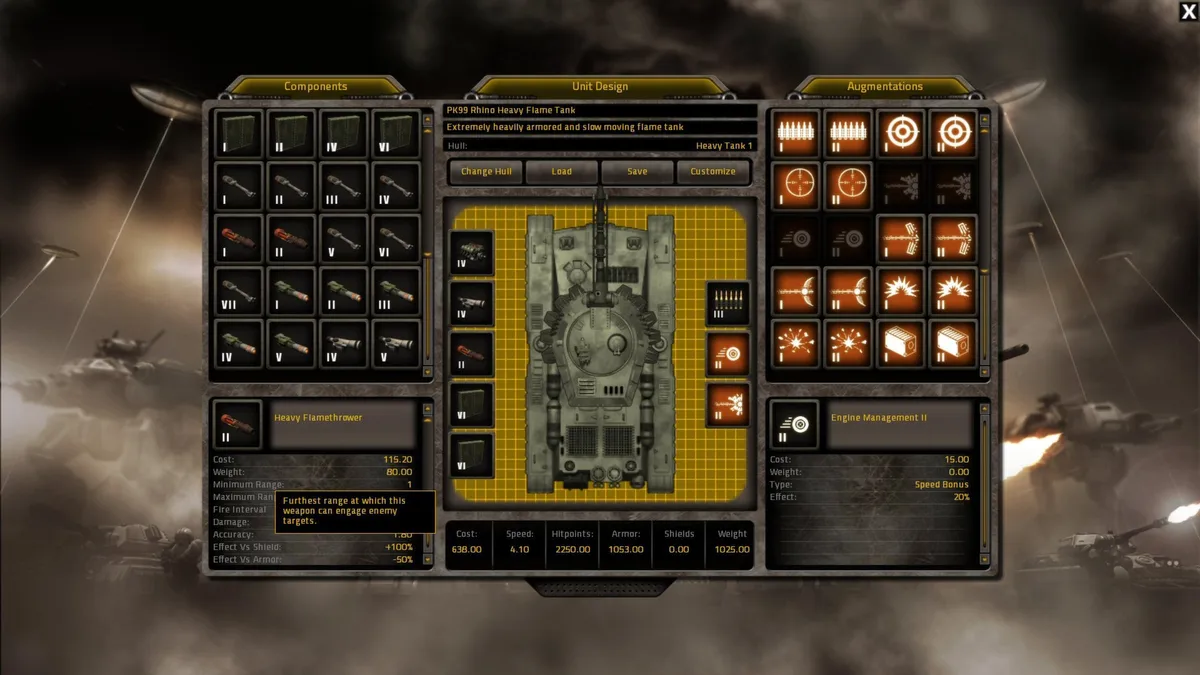
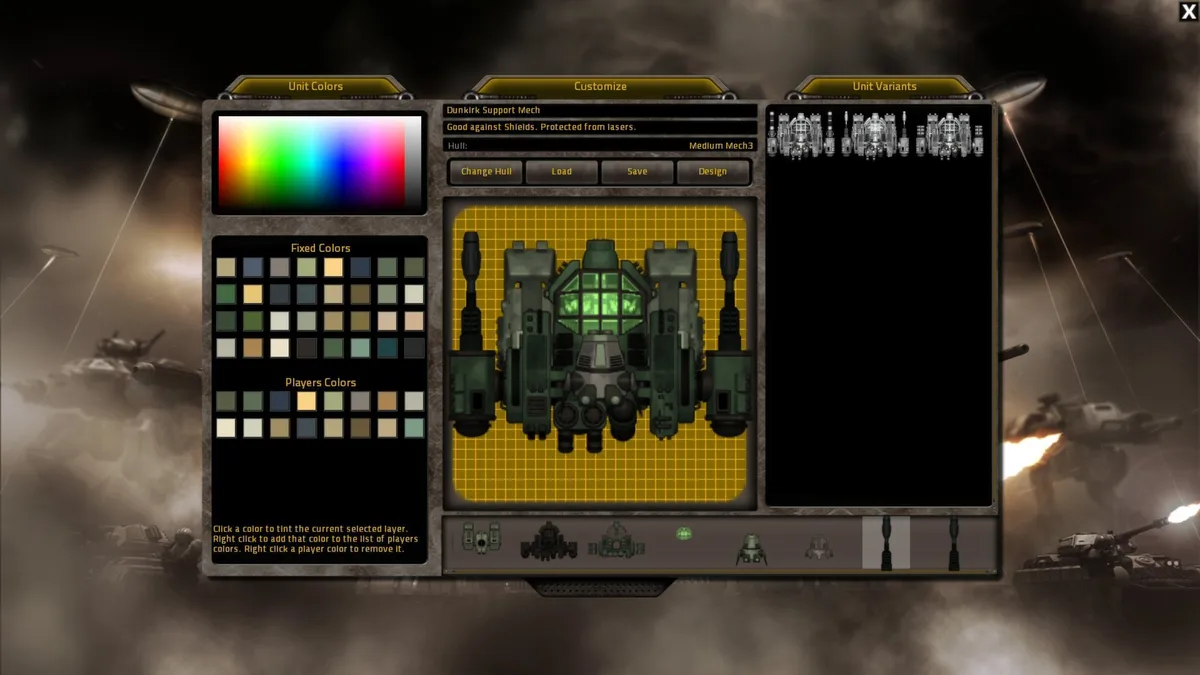
In Gratuitous Tank Battles, building a unit means fitting individual components into a hull and saving the result as a personal design. One hull can support dozens of saved designs, while units with identical designs can still have different outward appearances. The design screen lets you load, save or delete designs, switch hulls, and edit the current design’s name and description. Those descriptions also appear in battle popups when you select a design for a task. Appearance and color customization sit alongside this component-based construction, and the unlock system gradually adds more hulls, modules and abilities to experiment with.
Augmentations modify the whole design rather than simply adding another component. They can increase engine speed or weapon damage, and a range augmentation can turn a short-range weapon into a longer-reaching version. These changes add no weight, but they do add cost, so their statistical benefits are not free. The design’s statistics include the supply cost of one unit, with the basic hull and selected components contributing to that price. Building a more expensive unit therefore involves a numbers-versus-quality trade-off: the component configuration establishes the design, while augmentations offer further statistical adjustments at an additional cost.
Managing Supplies, Restock Timers and Deployment Divisions
Deployment draws on both supplies and unit stocks. The supply counter near the top of the screen rises as supplies are replenished and falls when you requisition troops or structures, with different units charging different amounts. Available supplies also have an upper limit. Separately, stocks restrict deployment by unit size: only four large turrets are available at once, shared across all large-turret designs rather than allocated separately to each design. Deploying a unit starts the replacement process, but arrivals take time. When stock falls below four, an indicator and restock timer appear on the relevant unit icon, so supplies alone do not guarantee immediate deployment.
Divisions organize saved designs into lists, and the selected division determines which designs appear in the deployment bar. Open the division manager during battle to change the selection or edit those lists; combat pauses while you do so. For switching without editing, Tab cycles through divisions and Shift+Tab moves in the opposite direction. These lists organize access to designs, while unit stocks remain shared by size. You can also recover some supplies from an inconveniently placed turret: right-click it, select Demolish, and a red countdown marks its deconstruction. The recovered portion of its supply value can then fund construction elsewhere.
Following Routes and Escorting Supply Trucks for Victory Points
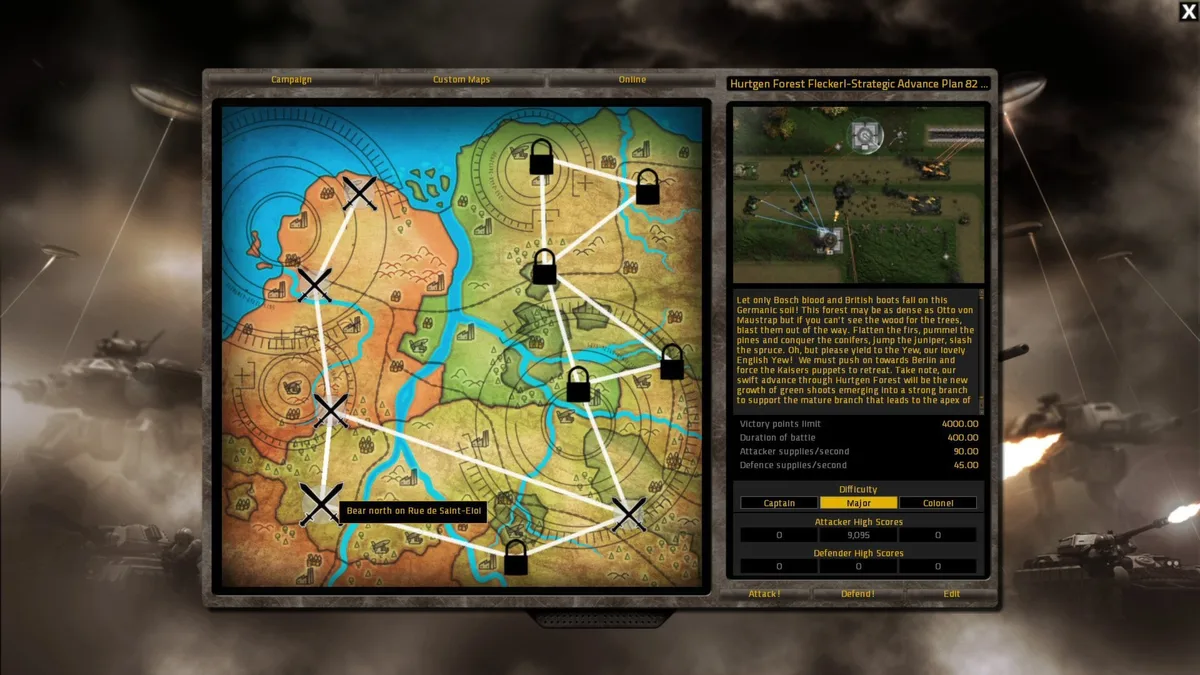
Getting units off the battlefield is the attacker’s scoring objective: each map requires a critical number of victory points from troops and supplies passing through the defenses and reaching an exit. Press R to toggle the route display, which shows paths from green deployment positions to their exit points. Troops reaching those exits are safe and count toward your score. Narrow roads usually leave little choice about movement, but where alternatives exist, select troops and right-click a path to indicate a preferred route, displayed in red. The defender’s task is to stop enough units, especially supplies, from breaking through.
Supply drops add another objective along the advance. Supplies can land ahead of your forces, and getting a unit far enough to collect them earns a supply truck from the Quartermaster. These trucks cannot be deployed by any other means, and their sole purpose is to earn a large number of victory points. Protecting a truck therefore supports the same exit-based objective as getting ordinary troops across the map, but with a particularly valuable scoring unit at stake. Collecting the first drop also unlocks the next opportunity: a second supply drop will not be released until you pick up the first.
Directing Fire, Checking Damage and Controlling Battle Time
A unit’s firing opportunities depend on its field of view, not simply the presence of an enemy. Select a unit and display its range overlay to see the brighter area marking that view. Moving infantry have a narrow forward view, while stationary infantry and troops in trenches can turn toward available targets. Mechs cover roughly 180 degrees ahead; tanks can rotate through 360 degrees. Enemies outside the current view will not draw fire. To begin a specific fire order, select the troops involved: hold Shift and draw a selection box, or double-click a unit to select identical units.
Click a friendly unit to open its inspector at the bottom right, where blue, brown and green bars track shields, armor and health. The panel also lists victory-point value and individual components, marking damage in red. Damage is uneven: a unit can lose its weapons yet retain movement, so its component status explains more than its health alone. For closer examination, use the speed buttons above the mini-map or the plus and minus keys to adjust battle time. The pause button or P freezes the action, and pressing F while paused advances the battle by one frame.
Defending Against Recorded Attacks and Creating Shared Challenges
Gratuitous Tank Battles lets you take either side on the same map, and an attack can become the opposition for a later defensive battle. Save your attack as a recording, then defend against that recorded assault rather than leaving it solely as a completed attacking run. The role switch also applies to custom maps: a battlefield you create is not restricted to attacking or defending. These are linked options, with the recording feature letting you face your own attack from the other side and custom-map support extending the choice of roles beyond existing battlefields.
Creating a shared challenge starts with more than choosing an existing battlefield. The integrated map editor supports both altering existing maps and making entirely new ones, with map sharing built into the game. The online challenge system also accepts custom units and attacks, so the material other players fight against can include your designs as well as your battlefield. Map editing, attack recording and challenge uploads therefore serve different purposes: one changes the setting, another preserves an assault to defend against, and the sharing system supplies custom content for other players to face.
Sources & further reading.
- Gratuitous Tank Battles — official game profileRetrieved Nov 10, 2026
- Gratuitous Tank Battles — official game profile — publisher-supplied gameplay manualRetrieved Nov 10, 2026
First published .