 THE GAME ARCHIVE
Reading the Light Gem: Visibility as a Resource
The Light Gem is the visibility readout at the center of the stealth loop: dark means invisible, while a bright gem means fully visible. Because every character and object casts a realistic, dynamic shadow that affects stealth gameplay, the gem responds to conditions you can see and manipulate rather than to a fixed crouch state. The manual's stealth tips tie the two together: avoid toe-to-toe combat because guards are tough, hide in shadows and avoid bright areas, and use the Light Gem to judge whether the spot you occupy is actually keeping you hidden.
Movement feeds directly into that visibility budget. Running (forward, back, left or right on W, S, A and D) makes noise and can alert guards or civilians, and different surfaces produce different noises, so the same sprint is quieter on some ground than others. Holding S with a movement key slows you; pressing C instead sneaks. Leaning sideways on Q and E helps you hide and peek around corners, and flattening against a wall with R lets you hide from guards and citizens, then creep along the wall by looking left or right with K and moving slowly forward.
Crouch, Lean, Flatten, Climb: Moving Without Being Heard
The movement set splits noisy travel from quiet infiltration. Running forward, back, left or right on W, S, A and D creates noise that can alert guards or civilians, and different surfaces produce different sounds, so the same run is louder on some ground than others. Holding S with a movement key slows you, while pressing C instead sneaks. Pressing X crouches, useful for moving through small openings or decreasing visibility, and pressing it again stands you back up. Z jumps over small items or onto boxes and walls.
Leaning and wall flattening support peeking and hiding. Q and E lean left and right to help you hide or look around corners, and stopping the lean resumes your previous stance. R toggles wall flattening mode, pressing your body against a wall to hide from guards and citizens; once flattened, creep along the wall by looking left or right with K and moving slowly forward, and press R again to un-flatten. Climbing covers ladders and scalable walls: face a ladder, look up with K, move forward with W; drop down a ladder by walking over it, looking down and moving forward. For a scalable wall, face it, jump with Z, look up, then move forward.
Three One-Hit Finishers and the Guards Who Track You
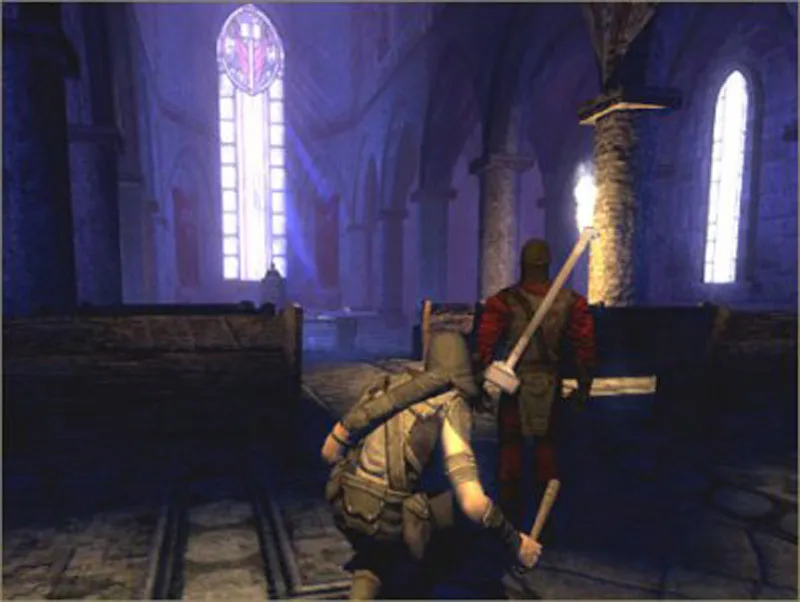
The manual lists three one-hit methods for dealing with an opponent who has not yet spotted you: the blackjack, a backstab, and an arrow headshot. Blackjacking works only from behind and unseen, so you equip the blackjack, sneak up silently, center the target's back in view, and click to knock the person out with a single blow. Across all three methods, cover matters: if the opponent suspects your presence or is already pursuing you, the one-hit kill no longer applies. The weapon set behind these options includes the blackjack, dagger, broadhead arrows, fire arrows, gas arrows, moss arrows, noisemaker arrows, water arrows, flash bombs, explosive mines, and gas bombs.
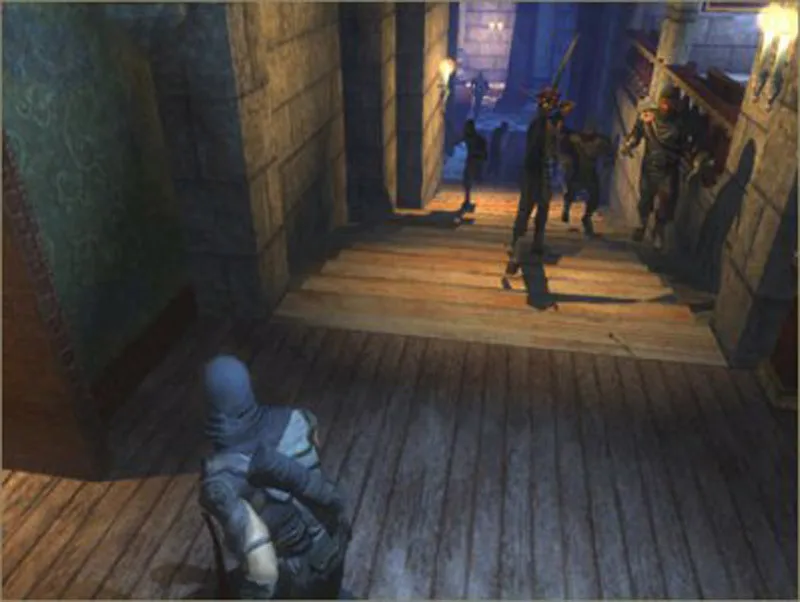
Guards see and hear, track evidence and suspiciousness, search for intruders, fight, give chase, and perform lip syncing, facial expressions, and hundreds of lines of real-time dialog. The interaction is concrete: noise from running can alert guards or civilians, and different surfaces produce different sounds, so the same movement is louder on some ground. This is why the one-hit methods depend on staying unnoticed. Once a guard suspects you or begins pursuit, the single-blow knockout is off the table, and the escape tools become the practical response: a flash bomb to break contact, or a noisemaker arrow to draw attention elsewhere.
Thieving Kit: Lockpicks, Practice Locks and Tool Upgrades
Lockpicking begins whenever you use a chest or door that can be picked, switching the game into a dedicated picking mode. Each lock holds between three and six tumblers, and your task on every one is to rotate the pick until you locate its weak spot. Because locks differ in craftsmanship and materials, some prove harder to open than others, so the same approach meets more resistance on better-made mechanisms. Finding the weak points on all the tumblers is what completes the job.
You can sharpen those skills by buying practice locks from fences, which teach the finer points of picking the different lock types. Any practice locks you purchase are delivered to your apartment in the City, giving you a private place to work on them. Separately, the manual groups thieving tools such as lockpicks and wall-climbing gloves as equipment that can be upgraded. The gloves are hardy leather, and you use them by jumping onto a stone or brick wall, looking up and moving forward to scale it.
Loot, Fences and the Black Market Economy
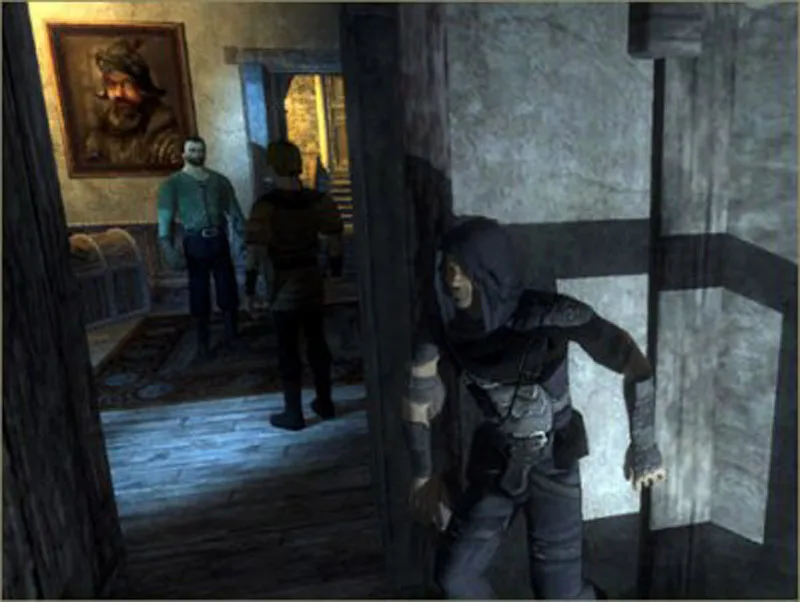
Loot drives the economy: stepping close to a highlighted item lets you use or pick it up, and during a mission you should collect anything of value, then later sell those items to fences for cash. Items with an exceptionally valuable or useful purpose carry a reddish sheen and twinkle, marking them as worth grabbing. Beyond ordinary loot, each mission holds three pieces of special loot that sell for considerably more. Selling happens on the black market in pockets of the City, where you trade loot for cash and replenish supplies; red handprints mark the shops where this exchange takes place.
Spending that cash covers more than consumables. The map subscreen shows a sketched map of the area, you receive a map for each mission, and some thievery stores in the City sell additional maps — the Museum map, for example, is available from the shop in the Old Quarter, while other maps are found on people or during the mission itself. Supplies include health potions drunk to heal combat damage, holy water flasks that burst on impact into a damaging puddle against undead enemies, oil flasks, and gas bombs thrown near enemies to force those in the vicinity to pass out.
Missions, Objectives and Faction Standing
Missions are focused excursions into a specific area to complete a certain task. The opening training mission takes place in an Inn, and finishing it launches a second mission to steal a valuable gemstone; only after that does the game place you in your apartment in the City for the first time. The mission brief on the start screen displays the important text describing the mission and outlines your objectives, and during play you can pause and open the Goals screen to review current objectives. Completed objectives appear brown with a checkmark, outstanding ones gray, and failed ones in red text. Objectives can change as you discover new information or use certain items, signaled by a New Objective pop-up, and a mission ends only when every objective is complete and you find the exit point.
Difficulty is chosen on the New Game screen, where a Difficulty option offers Easy, Normal, Hard and Expert and is unavailable in the first tutorial mission. Faction standing shifts as you progress and complete certain tasks and missions, changing how social groups perceive you. The Faction Screen shows your current alliance status with the two main societies, the Pagans and the Hammers. Doing favors for or attacking members of a group affects how each group reacts to you. The Hammers are armed with warhammers and worship the Builder; the manual notes they founded the City through discipline and craftsmanship, though its priests are now described as changed.
Sources & further reading.
- Thief: Deadly Shadows — official game profile Retrieved Oct 20, 2026
- Thief: Deadly Shadows — official game profile — publisher-supplied gameplay manual Retrieved Oct 20, 2026
First published .