 THE GAME ARCHIVE
Deathmatch Scoring: Kills, Headshots and the Knife Bonus
Deathmatch puts every player in the match against every other player, and the high score goes to the operative who eliminates the most opponents. The mode is not simply a kill race, because the highest number of kills does not by itself make a player the best; recklessly losing your own life works against your final score. Scoring is determined by a fixed table of events, each worth a specific number of points: killing a friendly costs four points, killing yourself costs one, being killed by an opponent leaves your score unchanged at zero, killing an opponent earns one point, a headshot kill earns two, and a kill using only a knife earns three.
Those values make the weapon and the hit location part of the scoring rules rather than separate bonuses layered on top. Knife kills carry the highest single-event reward, three points, so a player who closes on an opponent and finishes with the blade gains more than one who shoots from range; headshot kills sit between the knife and the ordinary kill at two points. A routine opponent kill adds just one point, while a friendly kill subtracts four and a self-kill subtracts one, so careless shooting can erase several successful eliminations. Being killed by an opponent scores zero, which means dying does not remove points already earned but also gives nothing back.
Team Modes: Blue versus Red, Friendly Fire and the Hot Zone
Team play separates operatives into a blue side and a red side, and the scoreboard shows only the team total rather than individual tallies. Because squadmates can cost your side points through careless fire, the rule set warns players not to shoot their own teammates, and Team King of the Hill marks friendly figures with an X warning so you can hold fire. In the team version of King of the Hill, the time your squad spends holding the zone is added to the team's clock instead of counting only for one player.
King of the Hill is won by occupying a designated area for a duration set by the game host, with the hot zone drawn as a red circle on the GPS map. Time inside the zone accumulates, but stepping out of the hot zone reverses the timer, so a squad must keep bodies in the circle to protect its progress. The size and number of hot zones change with the map the host selects. Capture the Flag assigns players to the red or blue team, marks each flag as a triangle on the GPS and Command map, and requires running over the enemy flag and carrying it back to your own Flag Bay, shown as a colored circle.
Co-op Rules: Swapping Squadmates for Humans and Raising the Stakes
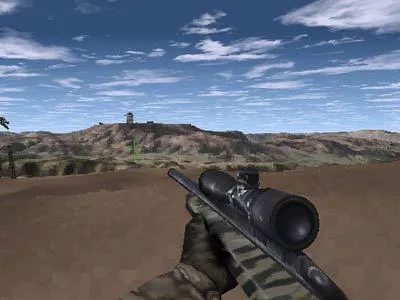
Cooperative play rebuilds the single-player missions around a human squad. The computer-controlled squadmates who accompany you in the solo campaign are removed and their places are filled by other players, so the same scenario is fought alongside real teammates. This applies to any mission in the list: you can select a mission for co-op whether or not you have already reached that point in single-player mode, so a group is not gated behind one member's progress. The manual frames this as a chance to practice team tactics against familiar situations, replaying a scenario several times to compare how different squad strategies play out in the same setting.
Adding human players changes the opposition rather than the objective. Because the mission is being run by more people, the co-op version is made harder than the single-player version to compensate for the extra players, and the manual describes the usual form of that adjustment as an increase in the number of enemies encountered. The mission itself is unchanged in purpose; the scenario is simply populated with a larger hostile force to match the larger friendly squad. The result is that the same terrorist-attack scenario can be attempted repeatedly, with the enemy count raised to account for the humans now standing where the computer-controlled teammates used to be.
Field Manual Controls: Mouse, Stance and the Command Map
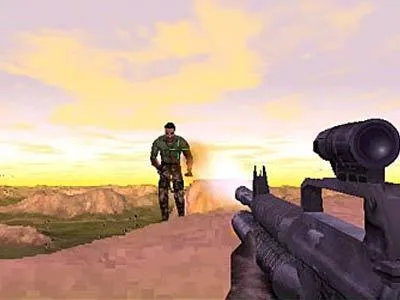
Mouse combat is split across three buttons. The left button fires the current weapon, the right button toggles the scope, and the middle button, when the mouse has one, cycles through the available weapons. Scope toggling and weapon cycling therefore sit next to the trigger rather than on the keyboard, so a player shifts between aiming and switching firearms without moving a hand away from the look controls. The manual lists the weapon cycle as conditional, meaning it applies only when a middle button exists and alternate weapons are carried.
Stance and inventory keys cover the rest of the on-foot actions. The Space bar jumps, Delete stands the operative upright, End crouches, and Page Down lies prone, giving four separate postures and a jump from the keyboard. A separate key, B, enters binocular mode. The Command Map opens with C, D drops items other than weapons, G shows mission goals, and M changes the magazine, discarding whatever ammunition remains in the current one. Changing magazines thus has a cost tied to the unused rounds in the old magazine.
Radio Discipline: Message Macros and Team Talk Keys
Chat in Delta Force is split between two address lines: the T key opens a talk channel, while the Y key directs a message specifically to your team. Briefing and administrative text run on their own keys alongside these — O brings up mission orders, R displays recent messages, and G shows the current mission goals, so a player can review the objective and the traffic log without leaving the message keys. The layout keeps squad communication and mission reference close together on the keyboard rather than buried in a separate menu.
Predefined message macros speed up field communication. Pressing the talk key opens the channel, then a function key selects the preset line, and Enter sends it to the other players. The ten presets cover tactical calls rather than open conversation: securing the package, preparing an assault on a signal, sending snipers to high ground, directing gunners at the flags, guarding the base, and demanding backup immediately. Selecting the right function key lets a squad issue the same order without typing, which suits the mission settings where teams must coordinate an assault or hold a position.
Sources & further reading.
- Delta Force 1 — official game profileRetrieved Oct 30, 2026
- Delta Force 1 — official game profile — publisher-supplied gameplay manualRetrieved Oct 30, 2026
First published .