 THE GAME ARCHIVE
Doc Clock: The Toasted Sandwich of Time is a construction-driven adventure built around an eccentric inventor's chair. Rather than hand the player a fixed vehicle, the game asks them to collect scattered parts, drag them onto the chair, and snap them together into whatever contraption the situation demands — two-wheeled vehicles, catapults, or flying machines. Stickmen Studios developed and published the game for Windows and macOS, with a 2010 Steam product year. This feature explains the documented gameplay systems and the decisions they create.
A Sandwich Machine, a Cactus Cat, and a Broken Time Machine
The premise is set up as a chain of invention accidents. Doc Clock's life goal is to invent the perfect toasted sandwich making machine, but one of his inventions goes wrong and transforms his beloved cat, Franklin, into a potted cactus. To prevent the accident, he builds a time machine — and instead of arriving in the past, he lands in a future without humans, in a world controlled by nature-loving robots. Overstressed by the long voyage, the time machine explodes and scatters its components for miles, so Doc Clock must find every piece to rebuild it and save Franklin from his prickly fate.
Chair-Built Inventions: Snapping Parts Together
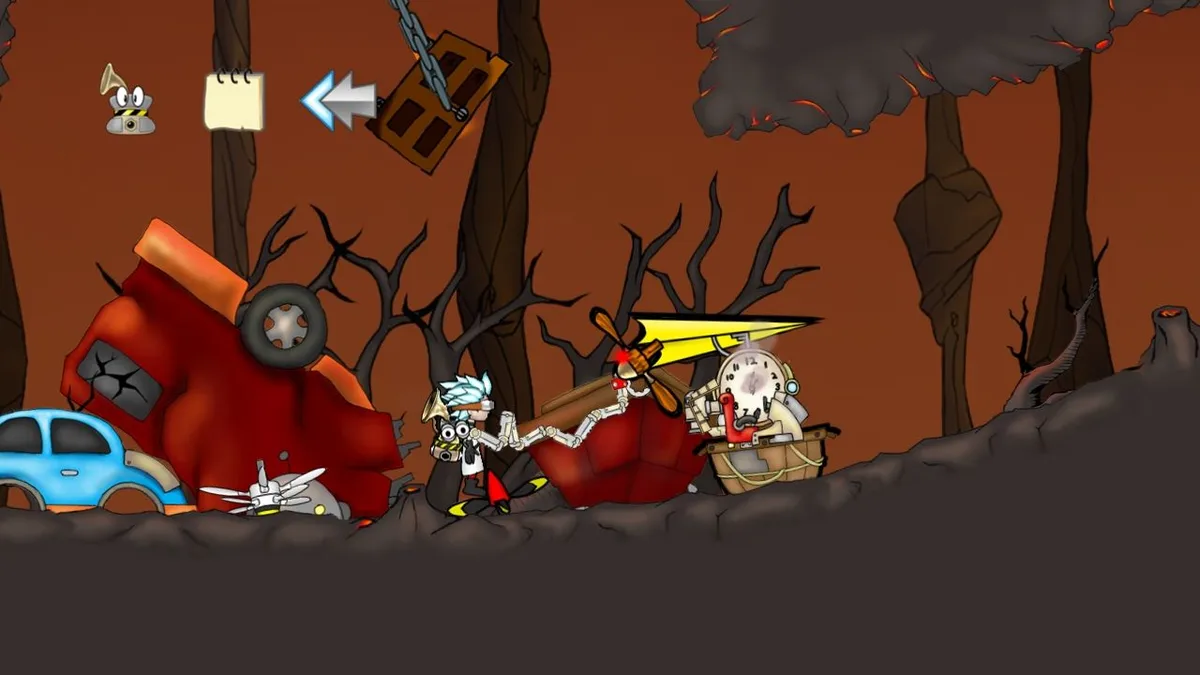
Building begins with the mouse. You click and drag to pick up an item and release it at the location where you want to drop it; the item can only be dropped within Sack's reach, so parts are positioned close to the chair rather than anywhere on screen. While holding an item, the Q or E keys or the mouse wheel rotate it, allowing you to line up its orientation before setting it down.
Attachment is a matter of overlap. To build an invention, you place an item held by the robotic arm onto the chair or over another item while the two overlap, and those items become attached to each other. The chair is therefore the base onto which collected parts are fastened, and the arrangement of attached parts defines what the contraption can do. The documented results include two-wheeled vehicles, catapults and flying machines, which shows how far the same additive building rule can be pushed.
Sack Logistics: Storing and Selecting Parts
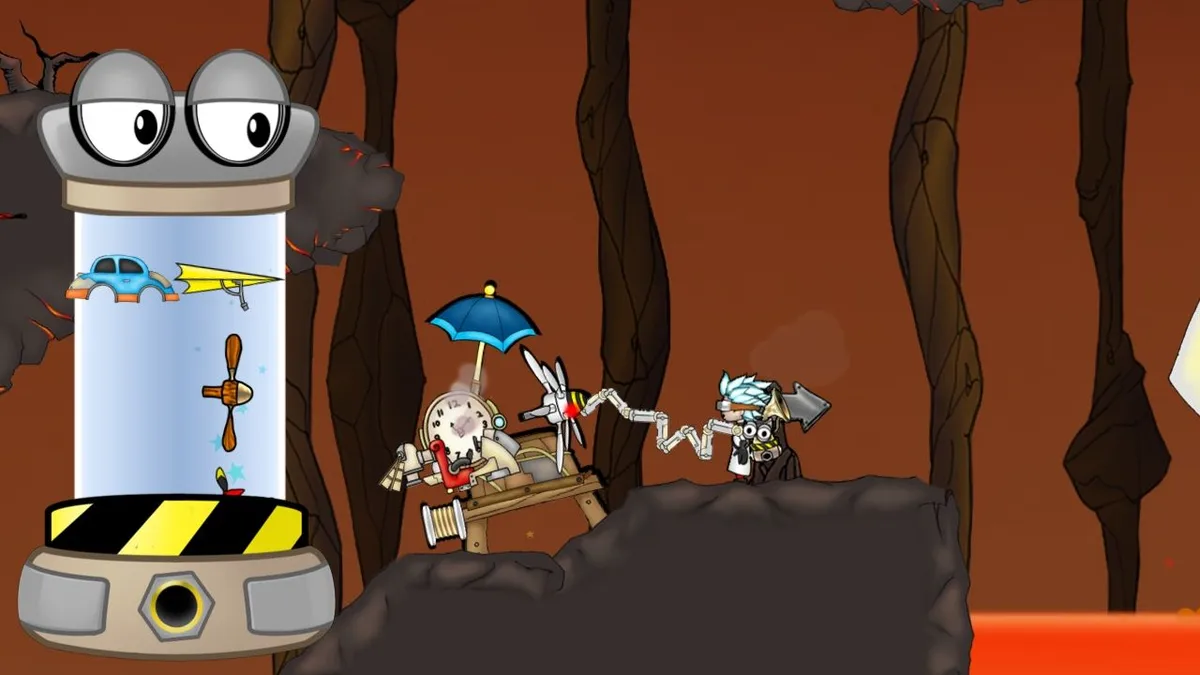
Sack is Doc Clock's robotic backpack and the store for all the useful items he collects. Opening it is bound to the on-screen Sack icon or the B key. While Sack is open, moving the cursor to the top or bottom of Sack scrolls through the stored items. To select one, you click and drag it — the same drag used to place parts on the chair. Duplicates of a collected item are shown stacked on top of each other inside Sack, so many copies occupy one visible position. Pressing B again or clicking Sack's spinning bolt closes it.
This links storage directly to construction: the same click-and-drag that pulls an item from a stack also positions it for attachment, and cursor scrolling lets you reach items that would otherwise sit out of view. Some special items stay in Sack after levels are completed, including the propeller, the umbrella and the spring, so those parts form a persistent building vocabulary. Outside Sack, walking is handled with A and D for left and right, while holding W or S gives a better view of the surroundings to help locate parts worth collecting.
Propellers, Umbrellas, and Springs: Flight, Float, and Launch
The propeller is the flight control for an invention. Attached to the contraption, it responds to W, A, S and D to move the invention upward, downward, left or right. Because a propeller can be placed anywhere on the invention, its mounting position is a design choice rather than a fixed slot. Continuous use heats it; a temperature gauge shows how hot it is, and when it overheats — marked by a red flag — it stops working. Waiting briefly lets it cool down before flight resumes.
The umbrella handles descent: attached to an invention, it slows the contraption down or lets it float gently to the ground, and placing it on top extends the time the invention can float. The spring is a launcher, activated with the Space Bar to throw items, including the chair, into the air. Facing a wall or the ground, it propels the invention away from that surface at speed; facing another item, it catapults that item away from the invention. Together these parts carve piloting into separate problems: sustained lift, controlled descent, and bursts of displacement.
Driving the Contraption and the Time Slider Safety Net
The F key is bound to getting in and out of the invention. Once seated, W, A, S and D attempt movement, but motion depends on what was attached beforehand: with wheels, a spring or propellers present, the invention can try to move, and it may not move in a direction if no item was attached to move it that way. Enter and exit stay a single keypress, keeping the pilot's transition distinct from the building phase handled by dragging parts into Sack's reach.
The Time Slider is the safety net for failed driving. Pressing the Rewind Time icon or the T key brings it up, and dragging the slider moves forwards and backwards in time; the tick icon confirms, the cross icon cancels, and T cancels and closes it as well. It can transport Doc Clock several minutes back into the past — to before he fell off a cliff, burned in some lava, or had his latest invention crushed by a frozen polar bear — so a doomed run can be retried rather than lost.
Frozen Plains and Volcanic Waste
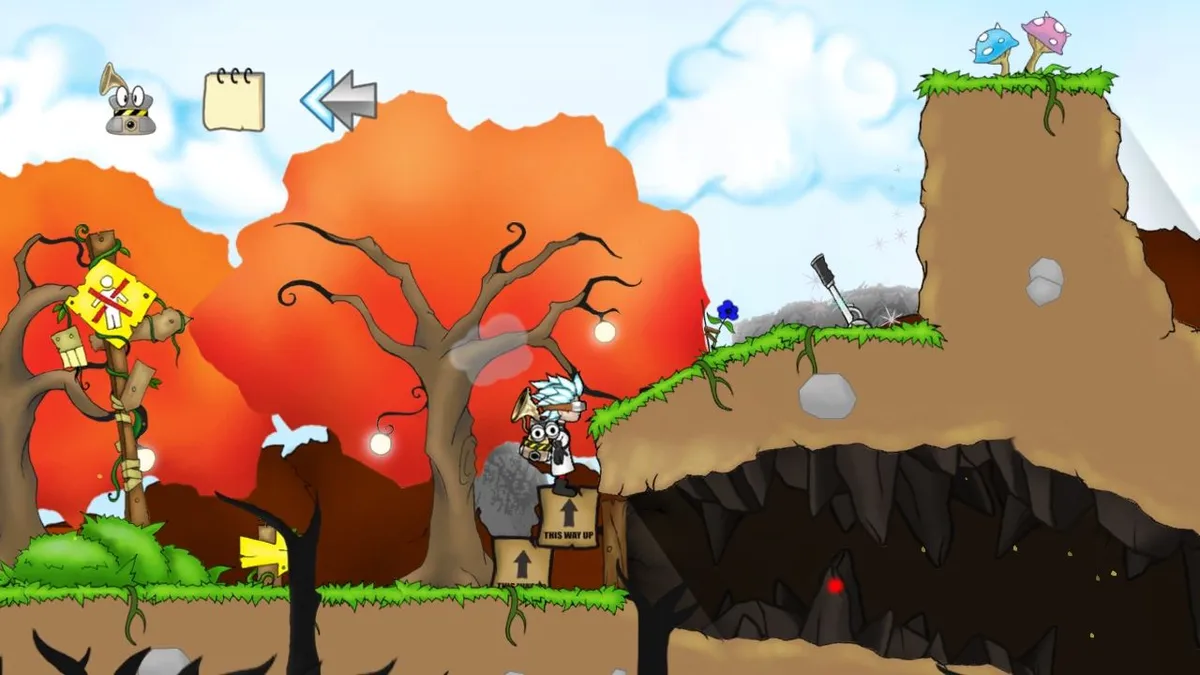
Recovering the scattered components means crossing hazardous terrain. The Frozen Plain is a sub-alpine environment the robots tried to cool for the animals' welfare, but they overdid it and froze the animals and everything else in the land. The Volcanic Waste is the contrasting region: Doc Clock's interference with the ice-making machine has thawed the animals, the trees, and the volcanoes, which have now erupted. Moving between these regions, lava and extreme cold shape which contraptions can survive the routes between scattered pieces.
Starting Guidance Drawn From the Rules
A few habits follow directly from the documented rules. Rotate each part with Q, E or the mouse wheel before committing, since attachment depends on overlap and orientation. Mount umbrellas on top of the invention when long glides matter, and treat the propeller's temperature gauge as a timing signal — ease off before the red flag appears rather than losing lift mid-crossing. Keep the Time Slider in mind as a retry tool: falling, lava and crushing deaths are exactly the situations it exists to undo.
Scroll sideways to see the full table →
| Field | Value |
|---|---|
| Title | Doc Clock: The Toasted Sandwich of Time |
| Developer / Publisher | Stickmen Studios |
| Platforms | Windows, macOS |
| Steam product year | 2010 |
| Genres | Adventure, Casual, Indie |
| Persistent special items | Propeller, umbrella, spring |
Sources & further reading.
- Doc Clock: The Toasted Sandwich of Time — official game profile Retrieved Oct 19, 2026
- Doc Clock: The Toasted Sandwich of Time — official game profile — publisher-supplied gameplay manual Retrieved Oct 19, 2026
First published .