 THE GAME ARCHIVE
An Old-School RPG That Rolls Every Action
Eschalon: Book I is a single-player role-playing game from Basilisk Games, released in 2009 for Windows, macOS, and Linux. The store description frames it as an old-school RPG that takes the player across massive outdoor environments and into dozens of sprawling dungeons in search of the character's identity. The manual is blunt about what that means in practice: absolutely every action is rolled, calculated, or statistically determined, and strategy, careful skill management, equipment selection, and magic usage win fights rather than rapid button clicking. The game is built so that characters are assembled from 24 skills and 8 base attributes, and the world does not scale itself to the player's choices.
What makes the game distinctive is not any single statistic but how tightly the numbers are chained together. ToHit comes from Dexterity, Concentration, and weapon skill; Maximum Damage uses different attribute pairs depending on whether the attack is melee, bow, or thrown; armor skill converts into damage reduction; and even spellcasting is bounded by the weight a character can hold in the weapon, shield, and gauntlets slots. This feature walks through those chains in the order a player meets them: how turns resolve, how attacks are computed, how the skill and attribute pools feed spells and utility skills, how the mouse and keyboard expose the systems, and how the automap gates travel.
Turn-Based Combat at Your Own Pace
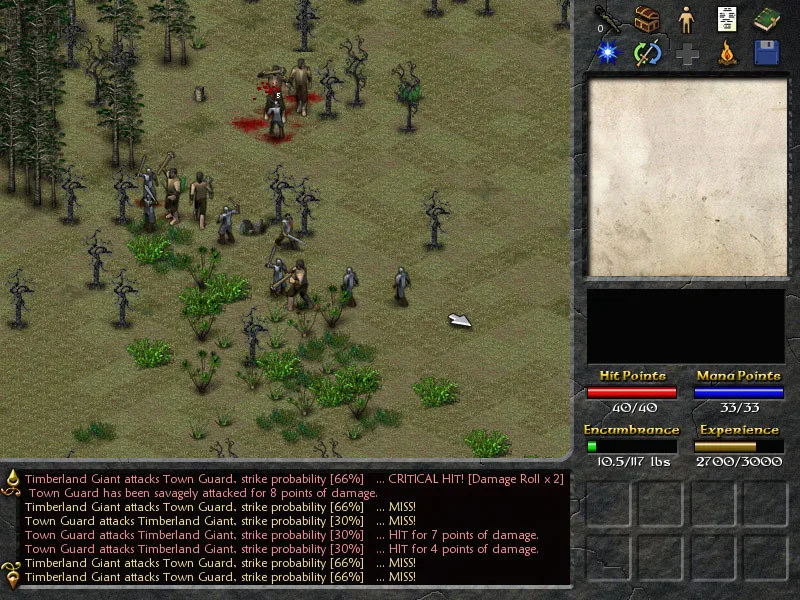
Combat in Eschalon: Book I proceeds through turns that the player controls. You decide what action your character performs next — taking a step, casting a spell, or attacking an enemy — and only after that does the computer calculate the actions of every other entity. Those entity actions are calculated separately in order of initiative but carried out all at once. Because no pause is forced between turns, the manual describes the result as near real time: battles can be fought with rapid blows back and forth, or the player can analyze every option for maximum advantage.
For the player, this is the core loop of the whole game. A melee character in a corridor can step, swing, and evaluate each round; a caster can decide whether a spell is worth the mana or whether to back away. Because the enemy phase resolves after the player commits, positioning matters more than reflexes: you are choosing the input to a calculation, not timing a click. The Turn-based design also makes the keyboard's Space key meaningful, since it lets one round pass without performing an action.
ToHit, Maximum Damage, and Armor Reduction
ToHit can be read two ways: it is the ability to make melee contact with a target, and it is the capacity to inflict damage if contact is made. The score is derived from Dexterity and Concentration plus the character's skill with the weapon currently held, and holding a weapon you are unskilled in lessens ToHit. That single rule already gives the player a real decision every time loot appears: a heavier or more damaging weapon is not automatically better if it falls outside the skills the character has invested in.
Maximum Damage measures the harm a physical attack inflicts, whether from a sword, an arrow, or even a fist. For melee weapons it is derived from Strength and Speed; for bows, from Dexterity and Concentration; for thrown weapons, from Strength and Dexterity. The weapon type and the skill used to wield it also count. This is why a bow character can build around the same Dexterity and Concentration that feed ToHit, while a melee character is pulled toward Strength and Speed. The melee weapon skills are Bludgeoning, Cleaving, Short Bladed, Swords, and Thrown, and Bows are their own category; Bludgeoning covers staves, maces, hammers, and clubs, Cleaving covers axes, machetes, and similar chopping weapons, and Short Bladed covers knives.
Armor works as a second layer on top of the attack roll. Armor is grouped into Light, Heavy, and Shields; Light armor includes all forms of leather and chain mail protection plus some rare lightweight plate alloys, Heavy armor includes scale and plate, and Shields covers hand-held armor used to deflect attacks. Armor Rating may offer little or no protection against some attacks, which is where armor skill enters: Damage Reduction occurs as the character becomes increasingly skilled in Light Armor and/or Heavy Armor, so the greater the skill in either category, the less damage a successful attack inflicts. A character who mastered a particular category maximizes its effect by knowing how to make it absorb more. In practice, the player is buying two things with each point: the physical item and the training to use it.
Skills, Attributes, and Spellcasting
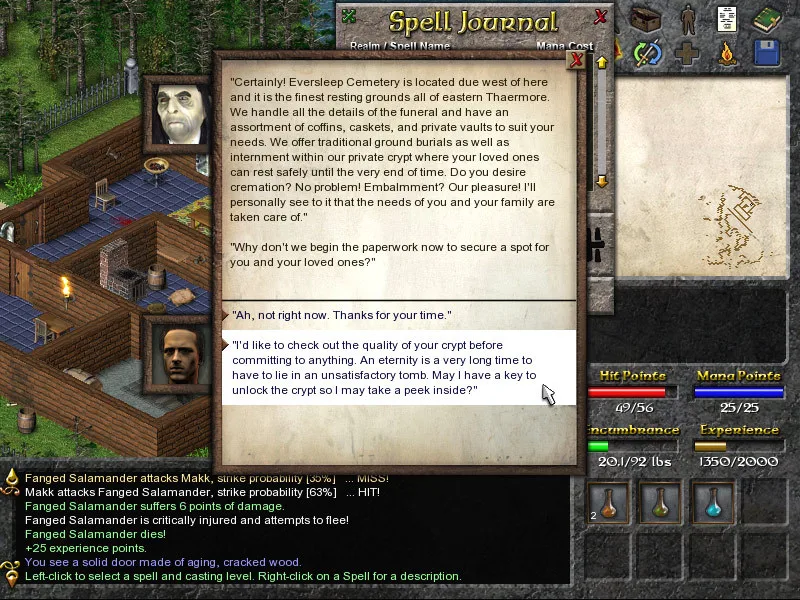
A character's capabilities come from two pools of numbers chosen during character design and revisited at each level-up: 24 skills and 8 base attributes, which the store description says affect the character's every action. Skills cover the ordinary and the arcane alike — wielding a sword, picking locks, and the Arcane disciplines. The Character Editor displays descriptions for each entry simply by pointing at its name, so a new player can survey the 24 skills before committing. Within the Arcane group, Alchemy concerns making potions and elixirs by mixing reactants and reagents; higher skill yields more potent mixtures, and master alchemists can imbue weapons and armor with extra abilities. Divination covers the magicks of the spiritual and organic realms, used most often by healers and persons of druidic faith.
Spellcasting ties each school to an attribute pairing. Elemental Magick deals with fire, earth, air, and water and is closely linked to Intelligence for the casting of spells and the understanding of scrolls; Divination is closely linked to Wisdom for spell casting and the understanding of scrolls. In both cases, the higher the skill, the more powerful the spells the character can cast and the lower the chance of spell failure during combat — so skill investment is both an offense and a reliability fix. Great Perception is needed to channel the magicks and boost Mana Points, which indicate how much magical potential a character has.
Casting also carries a somatic limit. Because of hand and arm requirements, a character can only hold a certain weight in the weapon, shield, and gauntlets slots while casting: the limit is one-third of the character's Strength in pounds. This turns equipment choice into a spellcaster-specific constraint. A Strength-poor wizard cannot afford heavy gauntlets plus a shield plus a weapon and still cast, whereas a slightly stronger or better-equipped one can. Planning a caster therefore means planning the whole loadout, not just the spell list.
Keyboard and Mouse Shortcuts
Mouse input handles the two most frequent actions. Left-clicking points the character in the arrow's direction to walk, and left-clicking a highlighted object such as a chest or enemy performs that object's default action; on an enemy the default is attack. Right-clicking casts the readied spell. The third mouse button locks walking, and clicking it on a combined stack of items separates the stack. For players without a third button, the W key locks walking.
The keyboard opens interface windows directly: I for Inventory, S for Stats, E for Equip, M for the Magick Spell Journal, and J for the Quest Journal. X opens Inventory, Stats, and Equip together, Enter swaps between primary and alternate weapons, Tab shows the Tactical Grid, and Space lets one round pass. T toggles a torch, C camps or rests, Esc closes all windows or opens the options menu, F1 shows playing tips, F2 performs a quick save, and F3 shows the keyboard shortcut help. Holding Left Ctrl while clicking simulates a right-button click for Mac users with a single-button mouse.
Lockpicking, Traps, and Stealth
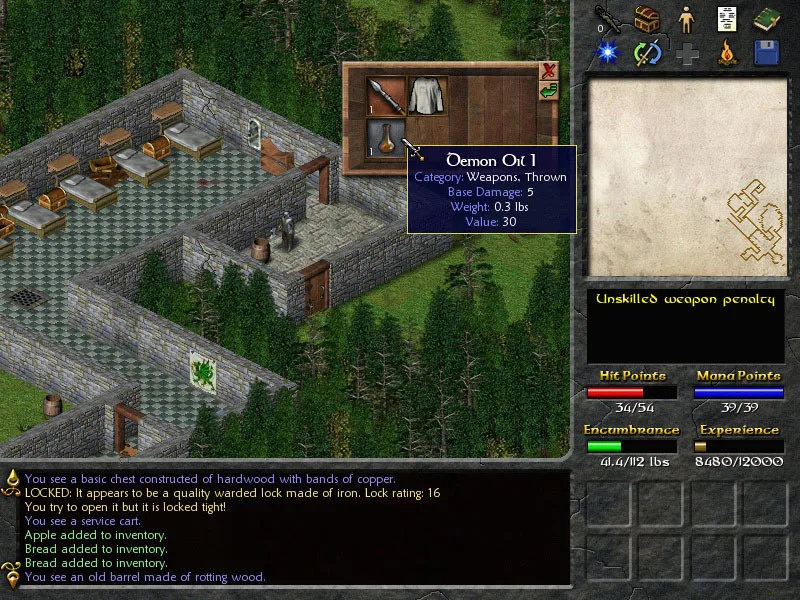
Locked objects and discovered traps are handled through two related checks. Picking a lock depends heavily on the Pick Locks skill plus Dexterity and Concentration, and a lock pick item must be in the inventory at the moment the locked object is clicked; lock picks can be found around the game world or purchased from some merchants. Once a trap has been discovered, clicking the trapped object or tile offers the option to attempt to disarm it, drawing on the Skullduggery skill plus Dexterity and Concentration. The penalty for a botched job is severe: failure to disarm a trap successfully on the first try usually triggers it.
Discovery can fail before those options ever appear. Sometimes a trap is not discovered before the player tries to open or use the selected object, and the trap is triggered as a result; the manual points players who hit this repeatedly to the Player Skills section for spotting hidden dangers and improving Skullduggery. Stealth is split between Hide In Shadows and Move Silently. Hide In Shadows is passive and keeps the character unnoticed by enemies while standing in dark areas, displaying "Hidden in Shadow" in the active effects window; at low skill even the darkest areas are difficult, and rising skill lets the character maintain concealment with progressively less darkness. Lighting a torch or using a light-producing spell instantly gives away your position to any nearby enemy, and attacking while hidden ends the concealment.
Cartography and Quick Travel
The Automap sits in the top-right corner of the game screen and is controlled by the Cartography skill. Until at least one skill point is allotted to Cartography, the Automap does not function at all, and its visual quality improves as the skill rises — making Cartography one of the more quietly consequential early investment decisions. Clicking the Automap window reveals the locations available for Quick Travel. To activate each one, the player must first travel there on foot and touch that area's local marker; after that the destination is registered and can be returned to by Quick Travel. The world is open to explore as desired, following the storyline or not, and the manual warns that careless travel can be deadly for an inexperienced adventurer.
Quick Travel carries two restrictions that interact with the rest of play: it is unavailable inside a dungeon and blocked while enemies are nearby, so a marked location cannot be used to escape a fight or to skip a dungeon interior. The manual also notes that torches on walls can be taken, so a delver need not be caught in the dark without spares. Together with the open, non-linear exploration, the system rewards reaching an area on foot first and touching its marker before the map allows any return trip.
Starting Guidance Drawn From the Documented Rules
Several concrete priorities follow directly from the manual. Allot at least one point to Cartography early, or the Automap will not function at all. When evaluating a weapon drop, check both the ToHit contribution and the skill category: an unskilled weapon lowers ToHit, and Bows sit on a different attribute pair from regular melee weapons. If the character casts spells, budget weapon, shield, and gauntlet weight against one-third of Strength in pounds before committing to heavy gear. When a locked chest appears, confirm lock picks are in the inventory before clicking; when a trap is discovered, weigh whether to attempt the disarm, given that a failed first attempt usually triggers it.
Current Access and Package
Eschalon: Book I is available through its official Steam app listing, developed and published by Basilisk Games, with Windows, macOS, and Linux supported. The publisher-supplied Player's Manual version 1.01 is bundled through the same official store page, which is the evidentiary basis for every mechanical detail in this feature. This profile describes that original 2009 release and its manual; it is not a summary of a remake or conversion.
Scroll sideways to see the full table →
| Attribute | Detail |
|---|---|
| Developer / Publisher | Basilisk Games |
| Release year | 2009 |
| Platforms | Windows, macOS, Linux |
| Genres | Indie, RPG |
| Character resources | 24 skills; 8 base attributes |
| Combat model | Turn-based player input; enemy actions calculated by initiative and resolved at once |
| ToHit | Dexterity + Concentration + held weapon skill |
| Maximum Damage | Melee: Strength + Speed; Bows: Dexterity + Concentration; Thrown: Strength + Dexterity |
| Armor categories | Light, Heavy, Shields |
| Spellcasting weight limit | 1/3 of Strength (lbs) across weapon, shield, gauntlets |
| Quick Save key | F2 |
Sources & further reading.
- Eschalon: Book I — official game profile Retrieved Oct 20, 2026
- Eschalon: Book I — official game profile — publisher-supplied gameplay manual Retrieved Oct 20, 2026
First published .