 THE GAME ARCHIVE
Moving Freddi Fish with the On-Screen Arrows
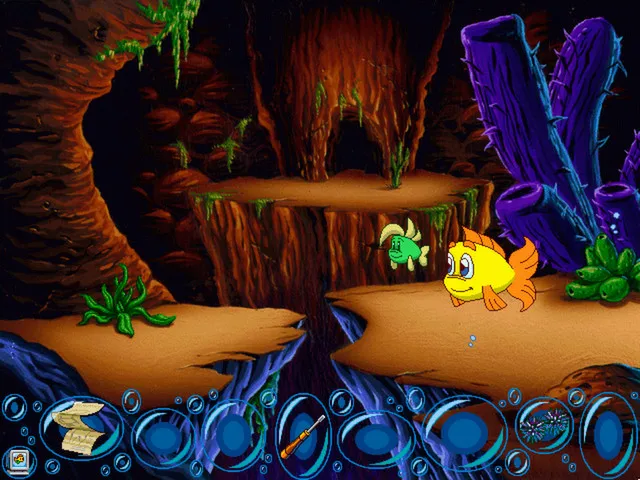
In Freddi Fish 4: The Case of the Hogfish Rustlers of Briny Gulch, movement is handled by clicking the on-screen arrows visible in each scene. Clicking an arrow sends Freddi in that direction, and the manual advises exploring everywhere, so the arrow layout itself is the main way to reach new areas. There is no listed keyboard or controller scheme for walking; the clickable arrows are the documented input. Across Windows, Mac, and Linux, the product uses ScummVM, the engine that runs these point-and-click scenes.
The same screen holds the item and menu controls that interact with movement. Items Freddi is carrying appear inside bubbles along the bottom of the screen, and most found items can be used by clicking the item and then clicking the thing it should be used on. A computer bubble at the bottom left opens a separate menu for saving, loading, or quitting. So while the arrows move Freddi between scenes, the bottom bubble area is where inventory selection and the save/load/quit functions sit during play.
Carrying Items in Bubbles and Using Them on the World
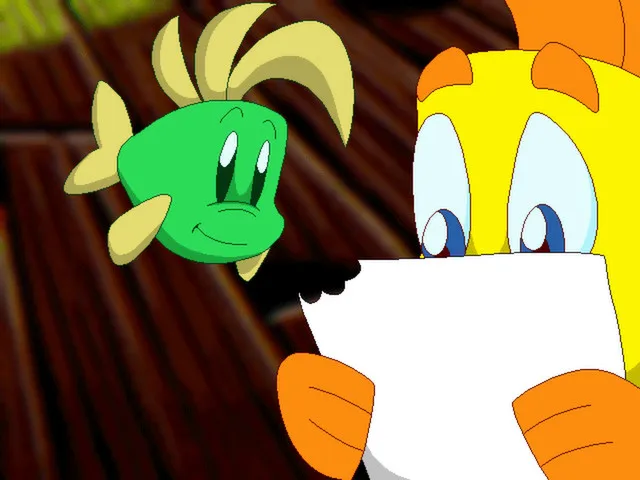
The items Freddi is carrying are displayed inside bubbles running along the bottom of the screen, so the inventory stays visible while a scene is on view. To act on something, the documented procedure is a two-click sequence: click the item in its bubble, then click the object or character in the world that the item should be used on. The manual notes this works for most of the items found around the game, which makes the bubble row the place where item selection begins before the second click reaches the target.
That bubble row and the arrow controls share one interface, but they do different jobs. The arrows set Freddi's direction through each scene, while the bubbles hold what she carries; selecting an item and then clicking its target is how that item enters the world. Separately, the computer bubble at the bottom left leads to another menu for saving, loading, or quitting, placing those actions beside the inventory during play. Investigating clues and meeting characters such as Cousin Calico, Sheriff Shrimp, Sahara Slim, and Eight Finger Phil drives the mystery of the rustled hogfish.
Investigating Clues to Solve the Hogfish Mystery
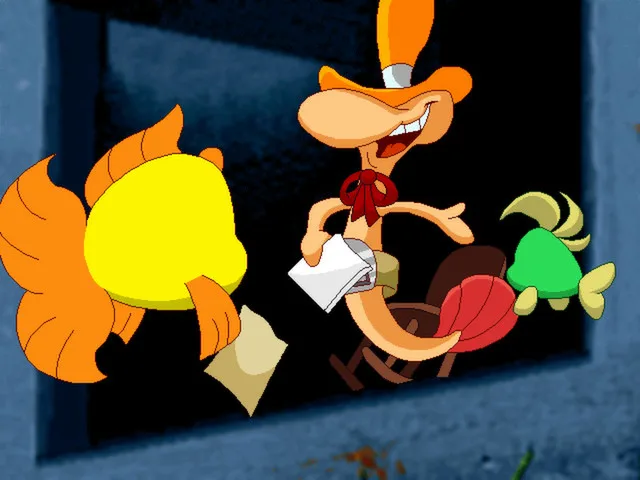
The goal in this Briny Gulch adventure is to solve the mystery of Cousin Calico's rustled hogfish, and the documented route to that is exploration: the game asks you to investigate clues and meet characters. The cast includes Cousin Calico, Sheriff Shrimp, Sahara Slim, and Eight Finger Phil, and most of these people are helpful, while the setting also includes a bad guy or two. The manual's advice to explore everywhere connects directly to this, since reaching new Wild West locations is how clues and new characters come into view.
The rules described for this section tie clue-hunting to what you do on screen. Clicking is the stated action that produces learning, so the more you click, the more you learn, and the game is described as different each time you play. Items support investigation through a two-click use: select an item from its bubble along the bottom, then click the object or character it should affect. Meeting people such as Sheriff Shrimp or Eight Finger Phil and examining the locations around Briny Gulch therefore combines character encounters with item use rather than a separate puzzle screen.
Saving Your Progress, Loading a Game, and Quitting
Saving progress centers on the computer bubble at the bottom left of the screen. Clicking that bubble and choosing Save opens the Save Game screen, and pressing the S key on the keyboard reaches the same function. On that screen, the player clicks one of the squares, types a name for the save, and presses Enter to store the game. The save screen therefore combines a slot selection with naming, so a saved game is identified by the square chosen and the label entered.
Loading follows a parallel path. The player can click the computer bubble and then the Load bubble, or press the L key, to bring up the Load Game screen. There, clicking the desired save returns the player to the point recorded when that game was last saved. The manual notes a precondition: if nothing has been saved yet, there is nothing to load, so saving must happen before loading is possible. Quitting also begins from the computer bubble at the bottom left, returning the player to the computer desktop.
Sources & further reading.
- Freddi Fish 4: The Case of the Hogfish Rustlers of Briny Gulch — official game profileRetrieved Oct 31, 2026
- Freddi Fish 4: The Case of the Hogfish Rustlers of Briny Gulch — official game profile — publisher-supplied gameplay manualRetrieved Oct 31, 2026
First published .