 THE GAME ARCHIVE
Movement, Turbo, and Sidestepping
Kurt's basic movement in MDK is handled by the arrow keys, each one sending him in the matching direction. Those same arrow keys also serve a second purpose, controlling aiming whenever sniper mode is active, so the directional inputs stay in use across both traversal and targeting. The scheme keeps movement and aim on one set of keys rather than splitting them across separate bindings, which means the arrows function as the primary directional control in normal play and as the aiming control once the player toggles into the sniper view.
Turbo mode changes how fast the character runs and turns. Pressing the Shift key selects turbo mode, which speeds up both Kurt's running and his turning speed, and the Caps Lock key keeps turbo mode switched on rather than requiring the player to re-press Shift. Sidestepping is a separate maneuver: holding the X key together with the left or right arrow key makes Kurt step sideways instead of moving in the direction of the arrow, giving a lateral movement option distinct from ordinary arrow-key travel.
Jumping and the Ribbon Chute Descent
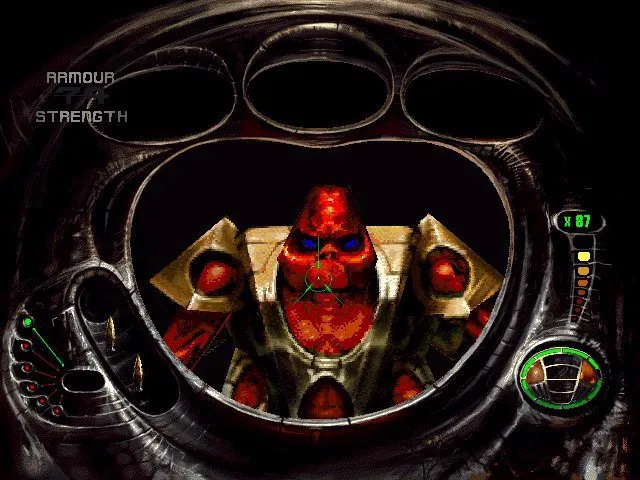
Jumping is tied to the Alt key, and the same binding controls the Ribbon Chute. Kurt leaves the ground with one Alt press; while he is still in mid-air, pressing Alt a second time opens the Ribbon Chute. Because the maneuver depends on that second press happening during the airborne phase, the chute is an in-flight action rather than a ground command. The manual notes a built-in safety feature that stops the chute from being set off accidentally while Kurt is on the ground, so the mid-air condition and the safety cutoff work together to keep the descent tool tied to jumping.
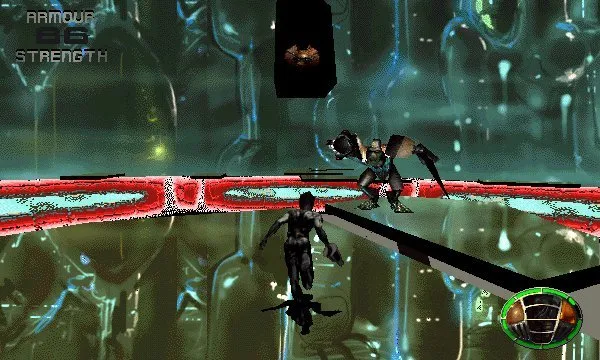
The Ribbon Chute is mounted as the larger mass in the center of Kurt's back and is used to retard his gravitational descent to the ground. The manual states it can be opened and retracted as often as the player wants, so descent speed is adjustable during a fall instead of being fixed once the chute deploys. This matters most during the opening free fall, when Kurt drops through Earth's atmosphere from the ship to reach the Mining Cities; the Coil Suit protects him from enemy fire and fast-moving projectiles along the way.
Sniper Mode, Bones Airstrikes, and the Bomb
Sniper mode is toggled with the Space bar, switching the view in and out. The chain gun, Kurt's initial multi-use weapon built from a recovered satellite for close-range combat, can be attached to his faceplate, where it morphs into a long-range sniper gun. In sniper mode the arrow keys control aiming rather than movement, while the A and Z keys zoom in and out; in normal mode those same two keys shift the camera to look up or down. Aiming inside sniper mode is what enables a documented special attack: the center of the targeting display turns red when it points at an area Bones can hit.
When the reticle glows red over a hittable zone, pressing the fire button under the Control key calls Bones in to bomb that area, so the airstrike depends on both sniper mode and the targeting cue before the order can be sent. The World's Most Interesting Bomb works on a different timing principle: once thrown, it can be detonated at any moment by pressing Enter again, and if the player does not trigger it, the bomb explodes on its own after several seconds. Both mechanics therefore turn on a second action following an initial one—firing while aimed for the airstrike, throwing then choosing the detonation moment for the bomb.
Pickups, Firing, and Saving Progress
The Control key fires whichever weapon is currently selected. Managing that selection relies on the Enter key, which uses or activates the chosen pickup, and on the number keys from 0 through 9, which select a specific pickup item directly. The bracket keys toggle left and right through the different ammunition and pickup items, so the active choice can be cycled without leaving the keyboard. These bindings decide which pickup is in hand, while the Control key commits the shot.
Saving progress is handled by the function keys. F2 saves the game and prompts the player to name the saved game or overwrite an old saved game. F3 loads a save, letting the player select a previously saved game to play. F1 brings up the help menu listing the keyboard controls, F10 quits, F11 adjusts brightness, and F12 opens the Options screen. Before play, the Options screen offers three skill settings: Easy, Normal, and Difficult.
Sources & further reading.
- MDK — official game profile Retrieved Oct 17, 2026
- MDK — official game profile — publisher-supplied gameplay manual Retrieved Oct 18, 2026
First published .