 THE GAME ARCHIVE
Meditation: Objectives, Compass, and Ki
Meditation in Mini Ninjas is available to the ninjas at any time, and it bundles several practical functions into one action. Triggering it shows your current objective along with a compass heading that points toward the best direction to move, and for Hiro it also delivers a summary of his next task. Beyond orientation, meditating raises the rate at which Ki energy is replenished and lets Hiro and his followers pull in nearby experience spheres, so a pause to check direction also feeds progression. The documented input is the 7 key or E.
Ki sits underneath the spell system as the foundation of all Kuji magic, and it drains whenever Hiro casts a Kuji spell. It recovers naturally over time, but meditation accelerates that regeneration, and Hiro can also refill it by collecting blue energy spheres or drinking potions. Because meditation both speeds Ki recovery and draws in experience spheres, a single meditative stop can restore casting fuel while gathering progression pickups; the objective and compass readout then tells you where to head once you stand up again.
Kuji Shrines and the Spell System
Kuji Shrines are hidden structures that stay locked until Hiro uses an Anemone flower on them. Anemone flowers grow close to the shrines, so the surrounding area itself points toward the unlock requirement. Opening a shrine adds a unique magic spell to the inventory, giving Hiro a new Kuji ability rather than a consumable item. Since Ki is the foundation of all Kuji magic and drains whenever Hiro casts a spell, each recovered shrine spell draws on the same energy pool that meditation, blue energy spheres, and potions refill.
Spells divide into two kinds: instant spells such as Fireball, which resolve at the moment of casting, and continuous spells such as Camouflage, whose effect persists until it is cancelled or until Ki energy runs out. To use either, Hiro first assigns the spell from the inventory to the Quick Item Wheel, then casts it by pressing the F key. That assignment step sits between acquiring a spell and firing it, and the Ki drain ties the continuous type directly to the same resource that meditation restores.
Ninja Followers and the Switching Wheel
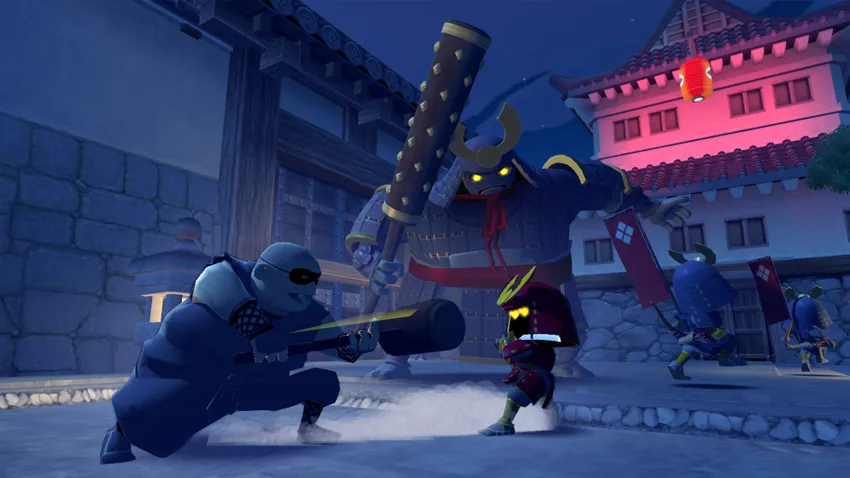
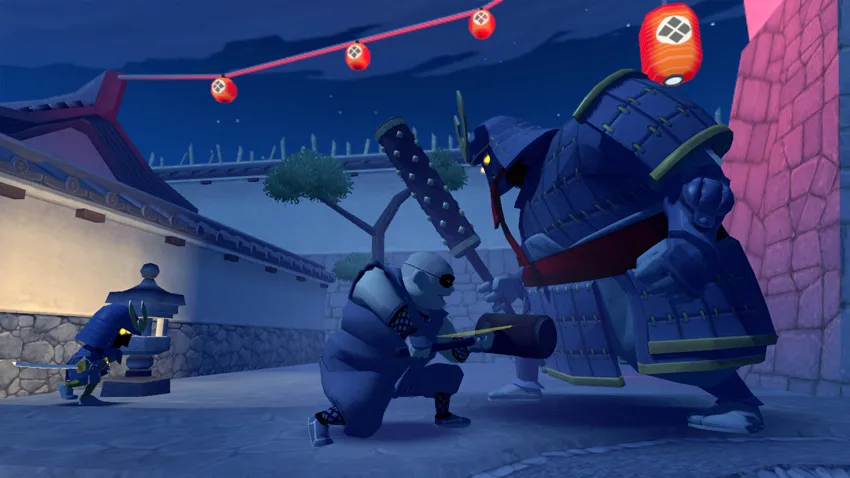
Hiro begins his quest alongside his friend Futo, and as the journey continues he rescues other ninjas who can help him. The followers documented are Futo, Suzume, Shun, Tora and Kunoichi, each with a distinct style and a unique Power Attack. They fight with different tools: Futo swings a massive hammer and can roll himself into a ball to bowl over nearby enemies, Suzume charms foes by playing her flute so they dance to her tune, Shun prefers the bow and can tie a lit explosive to an arrow before aiming and firing it, and Tora performs a Tiger Dash with a spinning claw attack. Although ninjas operate alone, the followers hide nearby, ready to be switched to when needed.
The switching tool is the Ninja Followers Wheel. Tapping the 1 key opens it, presenting five follower slots arranged around Hiro at the centre; moving the mouse selects a ninja, and tapping 1 again closes the wheel and places that selected ninja under your control. The same key also serves as a shortcut: once a follower has been chosen, tapping 1 switches quickly between that ninja and Hiro, and tapping again reverts back. So the wheel handles first-time selection, while repeated taps of one key cycle you between the current follower and the lead ninja.
Experience, Potions, and the Temples
Defeated enemies leave yellow experience spheres behind, and gathering them fills a progression track tied to Hiro. Reaching a new level raises his stock of Health Hearts, his Ki capacity, his number of power attack targets and other abilities, so combat feeds directly into his survivability and casting reserve. Health itself appears as a row of heart icons and can be refilled by eating gathered food or by using potions, while Ki is the foundation of all Kuji magic and is consumed whenever Hiro casts.
Potions are not found ready-made: Hiro collects ingredients such as flowers, mushrooms and herbs, then buys recipes at temples with coins and crafts the brews himself. The documented mixture for healing pairs Blue Petal with Oyster Mushroom to restore some health, while Blue Petal and Ginseng Root make a Ginseng Potion that replenishes some Ki energy. Other recipes cover different needs, including a shield for deflecting arrows and a flask that grants Hiro extra power attacks, tying brewing to ingredients gathered in the field and coins spent at temple vendors.

Stealth, Quick Items, and Checkpoint Altars
Stealth in Mini Ninjas is positional: when Hiro crouches in tall grass, bushes, or on rooftops he enters stealth, and enemies no longer detect him. The Quick Item Wheel supports that approach by letting you assign up to five items for fast access; opening the inventory with the 3 key, you move the mouse to pick an item and hold the right mouse button to place it on the wheel. Later, tapping 2 opens the wheel for selection and closes it, leaving the chosen item on the HUD's bottom-right corner, where the F key uses it.
Checkpoint Altars are the adventure's save points: Hiro must walk up and stand in front of an altar, then press the Space bar to save. Each altar can be used only once, so it cannot be revisited as a recurring save spot, and it also refuses to save while enemies are nearby, making the area around it a condition for recording progress. In the HUD's bars, stamina appears as a yellow bar above the blue Ki bar, is spent on physical actions such as sprinting, and regenerates whenever it is not in use.
Sources & further reading.
- Mini Ninjas — official game profile Retrieved Oct 19, 2026
- Mini Ninjas — official game profile — publisher-supplied gameplay manual Retrieved Oct 19, 2026
First published .