 THE GAME ARCHIVE
Race Weekend Structure: Saturday Practice to Sunday Race
In Race Event, a full race weekend follows a real-life schedule: two separate practice sessions open Saturday, qualifying follows a few hours later, and the race itself runs on Sunday after a short warm-up session. Practice imposes no time limit, so you can learn the fastest lines, get comfortable with braking points, or experiment with car setup to see how it affects handling. Because the mode is configurable, you choose which sessions to enable and which rules apply, and the available settings depend on the difficulty level you select. Read more about the Car Filter in the Options section.
For players who want to skip preparation, the same mode can put you directly onto the grid without any practice, qualifying, or warm-up. You select the track, class, car, and driver, and the game places you on the grid with no manual session management required. On the class selection screen you can open the Car Filter menu to narrow the entry list before starting. Between the fully scheduled weekend and the direct-grid option, Race Event spans every step from the opening Saturday practice to the Sunday race.
Championship Season: Points, Reverse Grids and Handicap Weight
The Championship is the game's headline single-player structure: a full simulated WTCC season of eleven events staged in eleven countries across three continents, or a custom championship assembled from any number of the tracks available in the game. The custom option also supplies a car filter so you can add classes other than the one you picked for yourself; without the filter, you race against your own class by default. Only one championship can be active per driver profile, and progress saves automatically as you move between the sessions of each individual race weekend.
Race rules interact with the season in two formats. With one race per weekend, the fastest qualifier takes the best grid position, and points go to the top eight finishers: ten for the winner, then eight, six, five, four, three, two and one. In the two-race format, the second race uses a reversed grid, and the combined points total across both races is tallied. Handicap weight follows results too: each driver carries ballast that is raised or lowered after every race weekend, shown on the timing screen, ranging up to 80 kilograms in the WTCC series. Extra weight alters tire wear, fuel consumption, car balance and acceleration, so a car that keeps finishing in the top three has its ballast increased until the maximum applies.
Time Attack: Ghost Laps, Online Downloads and Leaderboards
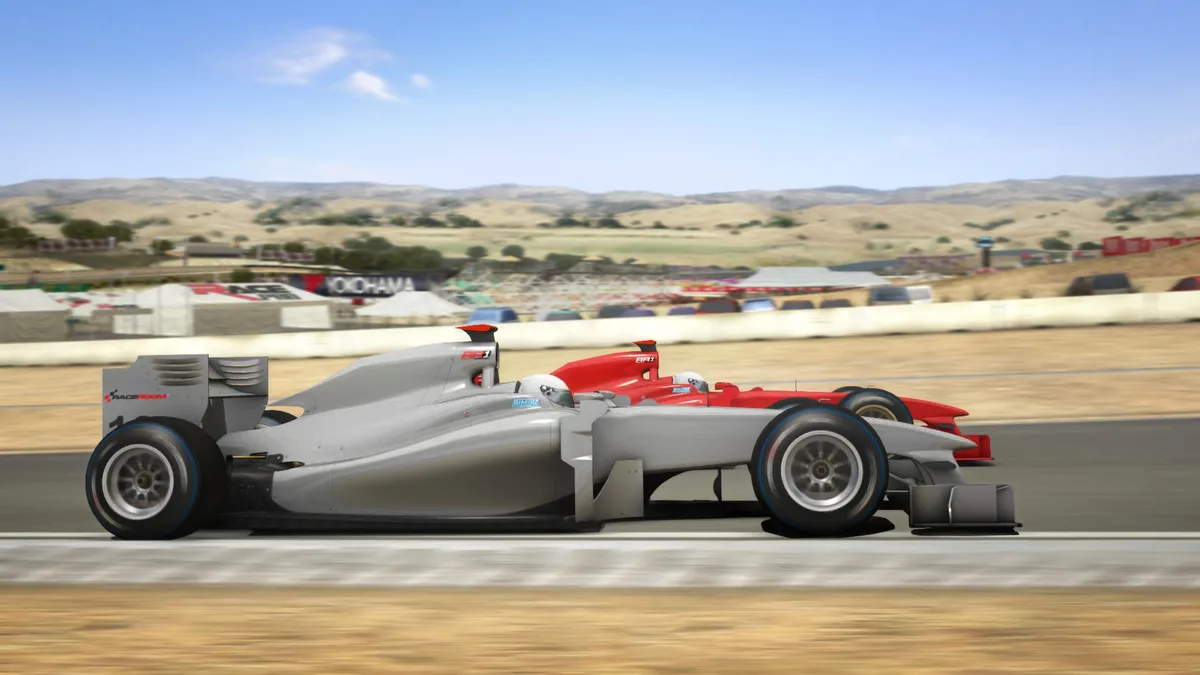
Time Attack asks for a single fast lap on a chosen track in a chosen car, with no time limit forcing you to stop. After you cross the finish line on your first lap, a ghost representation of your car appears on the previous lap so you can watch your own line and spot where time is being lost. Only the best lap is shown, and the ghost is replaced only when you beat your fastest time, so the reference always reflects your strongest run. From the garage menu you can save a completed ghost lap with the Save ghost lap command and later load one with Load ghost lap.
Beyond locally stored ghosts, the Online Time Attacks button in the Time Attack garage menu opens a list of laps made by other players; select a ghost file and press Download to race against it, and the menu's filter options narrow that list by criteria such as the players' chosen settings. To share a lap, save your ghost file locally first and then upload it so others can compete against it. A separate World Leaderboard records hot laps on special ranking servers that upload times to a database, with results shown on ranking websites; ranking your performance requires registration.
On-Track Rules and Difficulty Tiers
On-track conduct is governed by three documented flag rules. A blue flag appears when a driver fails to yield to a car lapping them: the first showing is a warning, the second requires an immediate yield, and the third earns a stop-and-go penalty. A yellow flag signals a hazardous condition, so drivers must slow down and may not pass; passing under yellow brings a penalty or even disqualification. A black flag disqualifies a driver for unsporting behavior, a technical fault dangerous to other drivers, or failing to take a stop-and-go penalty.
Difficulty tiers govern driving aids, damage sensitivity and opponent strength. Novice allows anti-lock brakes, traction control and stability help at their highest setting, with damage sensitivity as low as 30% and opponent strength as low as 70%. Semi-Pro withdraws stability help and restricts anti-lock brakes and traction control to low, with damage sensitivity and opponent strength no lower than 80%. Professional removes all driving aids so the car handles as it really does, with damage sensitivity and opponent strength no lower than 100% and 90% respectively.

Multiplayer, Profiles and Control Setups
Multiplayer branches into local area network play and internet competition, letting you race against friends on your LAN or opponents around the world. Sessions accommodate up to 25 AI or human drivers combined, and spectator mode lets non-driving participants watch the action. Private sessions can be locked behind a password so only invited racers join. On the input side, a computer started with only a keyboard and mouse attached defaults to the arrow keys for accelerate, brake and steering, with Q and A shifting gears, H for headlights, W for window wipers, Tab to change camera, and V, N and B handling look left, right and back.
Driver profiles let several people share one installation: extra profiles can be created to match the number of participants, or friends can simply take turns driving under a single profile. Each profile tracks statistics and lets you customize a helmet icon, while switching between player profiles requires first leaving the event and opening the player profile menu inside the options area reachable from the main menu. Controller profiles work alongside this: the default controller profile varies with the active player profile, and controller profiles can be created or swapped between or during a racing session by entering the garage menu. Compatible steering wheels can use specialized force feedback effects, configured through the Advanced button and then the force feedback button in the bottom-right corner of the controls menu.
Sources & further reading.
- RACE Injection — official game profile Retrieved Oct 19, 2026
- RACE Injection — official game profile — publisher-supplied gameplay manual Retrieved Oct 19, 2026
First published .