 THE GAME ARCHIVE
The Visibility Meter and the Discipline of Staying Unseen
Sam's OPSAT carries the visibility meter, the primary readout for staying unseen. When the gauge sits completely to the left, Sam is invisible to enemy surveillance; fully to the right, he is in critical danger of being detected or intercepted. The meter responds to how he moves, so the same player who checks the gauge must also manage posture and pace. Remaining under the cover of shadows is an important stealth technique, and crouching, moving slowly, and keeping his back to the wall all contribute to invisibility. These actions stack with the lighting rather than replacing it, giving the player several levers to pull the needle leftward.
Staying unseen is not only visual. Sam must defy enemy ears as well as enemy eyes: running and jumping are sometimes necessary, but they generate sound that invites a patrol to investigate his position. The visibility meter and the noise rules therefore pull against each other, since moving quickly across a lit space helps evade sight lines while announcing his location. Dynamic lighting and sound effects were built to mirror reality, so the stealth discipline depends on reading the environment as much as the OPSAT gauge. Night Vision and Thermal Vision, toggled to view very low light and heat respectively, extend how Sam perceives shadowed areas before he commits to a route.
Keyboard and Mouse: Moving Sam Through the Shadows
On keyboard and mouse, Sam moves with the W, S, A and D keys, and the mouse wheel lets the player accelerate or decelerate his pace rather than forcing a single speed. Crouching is assigned to C, jumping to Shift, and pressing Q puts Sam's back to the wall, the posture that keeps his silhouette tight against cover. The C key therefore pairs naturally with the wall command: crouch low, hug the surface, and creep at a wheel-controlled rate instead of running upright through a guarded corridor.
Interaction sits on the Space bar, while the middle mouse button handles use and equip, so picking up an object near Sam and then deploying it are separate inputs. R reloads, Z changes the rate of fire, and X resets the camera. Around these controls the manual notes that barrels of explosive or flammable liquid can be turned to advantage, that environmental objects serve as cover, and that rolling lowers Sam's profile when crossing from one piece of cover to the next.
The SC-20K and Its Launcher
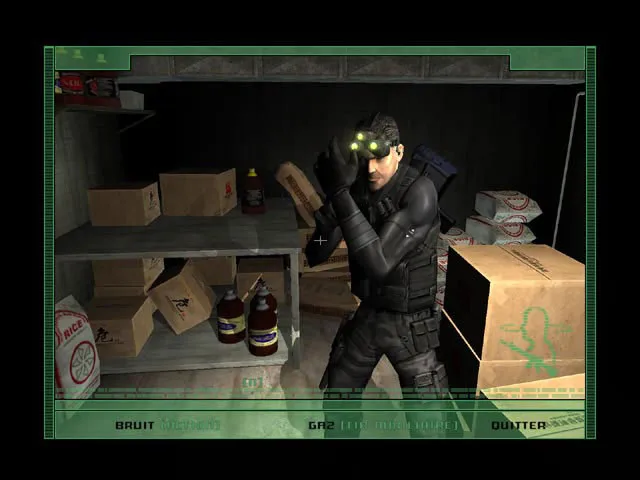
The SC-20K, or Modular Assault Weapon System, is a bull pup assault rifle chambered for 5.56x45mm SS109 ammunition. Its compact layout keeps it light without sacrificing firepower, and its modular configuration lets it be customized to fit any mission profile. The rifle carries a flash and sound suppressor and is combined with a multipurpose launcher, which together make it Sam's choice of weapon when infiltrating enemy territory. Because the SC-20K is more overt in nature, Sam acquires it only after a few missions, once the situation calls for it. The quick inventory, held open with the Control key by default, groups the SC-20K with gadgets and items for mouse selection.
Sniper mode is available only with the SC-20K. The player equips the rifle with use and equip, zooms in with the mouse wheel to enter sniper mode, and zooms out to leave it. Inside the scope, holding the alternate fire input steadies the aim by holding breath, though only for a limited time; the fire input then takes the shot. Reloading works two ways: Sam reloads automatically when out of ammunition, or the player presses the reload key while the SC-20K or the selected pistol is drawn. The same mouse wheel that accelerates or decelerates Sam's movement also controls sniper zoom in and out.
Grabs, Interrogations and the Non-Lethal Choice
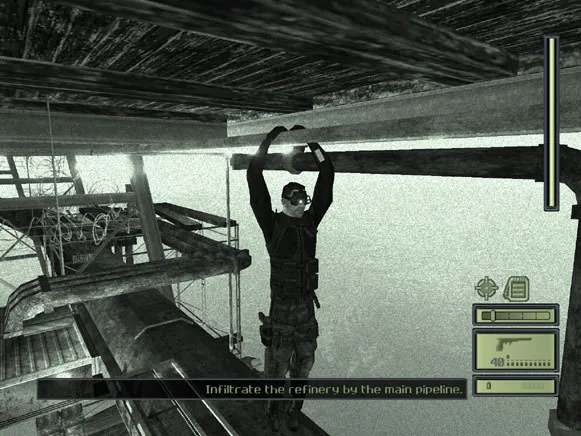
Grabbing begins with proximity: Sam must sneak up close behind an enemy without being detected, then select the Grab Character interaction. Once an enemy is held, pressing Fire knocks him out, a silent takedown rather than a kill. This matters because players can knock out enemies instead of killing them, avoiding alarm triggers; a witness left unconscious serves the mission better than a corpse that compromises secrecy. The grab itself depends on the player having already closed the distance undetected, so the visibility meter and noise rules described earlier determine whether the interaction becomes available at all.
A held enemy opens three further options beyond the knockout. The player can equip a side arm and fire while using the grabbed enemy as a human shield. Some non-player characters can be interrogated for useful information by selecting the Interrogate interaction while holding them, making the captive talk. Certain objects cannot be used by Sam himself, but grabbing and directing a character forces cooperation, putting that object to work. Each choice follows the same setup, a silent approach from behind, so the grabbed state is a branch point: knockout, shield, questioning, or compelled assistance.
Sticky Camera Scouting and Body Disposal
The Sticky Camera is a miniature camera with full pan and zoom, plus Night and Thermal Vision modes. It feeds its image directly to the OPSAT, making it ideal for advance scouting and intelligence gathering. To use it, deploy the camera through the standard object procedure: equip it, aim with the on-screen reticles using the mouse, then press Fire to throw; aborting the throw is done with the use and equip input. To retrieve the camera, Sam stands near it and selects the Sticky Camera interaction, then presses Fire to exit. The camera's pan, zoom, and vision modes let Sam inspect areas before moving.
Dead or unconscious bodies must be hidden to prevent them from being found. If an enemy discovers an unconscious comrade, he will revive him, undoing the takedown. Enemy detection or even suspicion of an intruder leads patrols to alert nearby comrades or trigger an alarm, and indiscretion with alarms can lead Third Echelon to abort the mission. Knocking out an enemy is quieter than killing him, but nearby enemies will hear the dying gasps of comrades, so a corpse also risks drawing attention. The same rule cuts both ways: stealthy takedowns reduce noise, yet the body must still be moved and hidden.
Mission Objectives and Alarms
Missions in this stealth action game send Sam into secure locations to gather intelligence, locate agents and prevent global threats, rather than merely reaching an exit. Each objective set is not a single fixed path: diverse mission goals can be completed in multiple ways, which the profile presents as a source of replayability. Player choice extends to the takedown itself, with lethal and non-lethal approaches both available, so the route through a guarded facility and the treatment of the people inside it are separate decisions layered onto the same assignment.
Alarms are the pressure that shapes those objective decisions. Enemies are trained not to engage an intruder alone but to alert nearby comrades or trigger an alarm when they detect Sam or even suspect an intruder is present. Because Splinter Cell operations are extremely covert, indiscretion with alarms can lead Third Echelon to abort the mission outright. A single moment of detection therefore does not stay local: it escalates through nearby patrols and can end the assignment, making quiet movement and hidden bodies part of completing the stated goals.
Sources & further reading.
- Tom Clancy's Splinter Cell® — official game profile Retrieved Oct 18, 2026
- Tom Clancy's Splinter Cell® — official game profile — publisher-supplied gameplay manual Retrieved Oct 18, 2026
First published .