 THE GAME ARCHIVE
Hexes, Weather and the Four-Day Turn
The map is divided into hexes measuring 20 kilometers across, each carrying one of eight terrain types: sea, clear, forest, mountain, swamp, hill, desert or city. Rivers are not a terrain type; they form the boundaries between hexes instead. Every hex also holds its own weather condition, which can be dry, mud or snow. The grid is hidden by default and can be switched on from the game menu with the Show Grid option, whose hotkey is G. Ownership tinting shows enemy-controlled territory, and the front line is always marked; the ownership display can be turned off, but the front line cannot.
A turn corresponds to four days of real time and is split into two phases: in each phase one player acts while the other observes. During your own phase you move units, attack enemy units and otherwise conduct the battle; when finished, you click End Turn, after which the opponent moves. Because weather is tracked per hex rather than army-wide, a single turn can span dry, muddy and snowy ground at once, so the same four-day window imposes different conditions wherever the fighting shifts. Scenario objectives appear as target markers on the map, and victory requires capturing every single objective.
Movement, Zones of Control and the Shifting Front
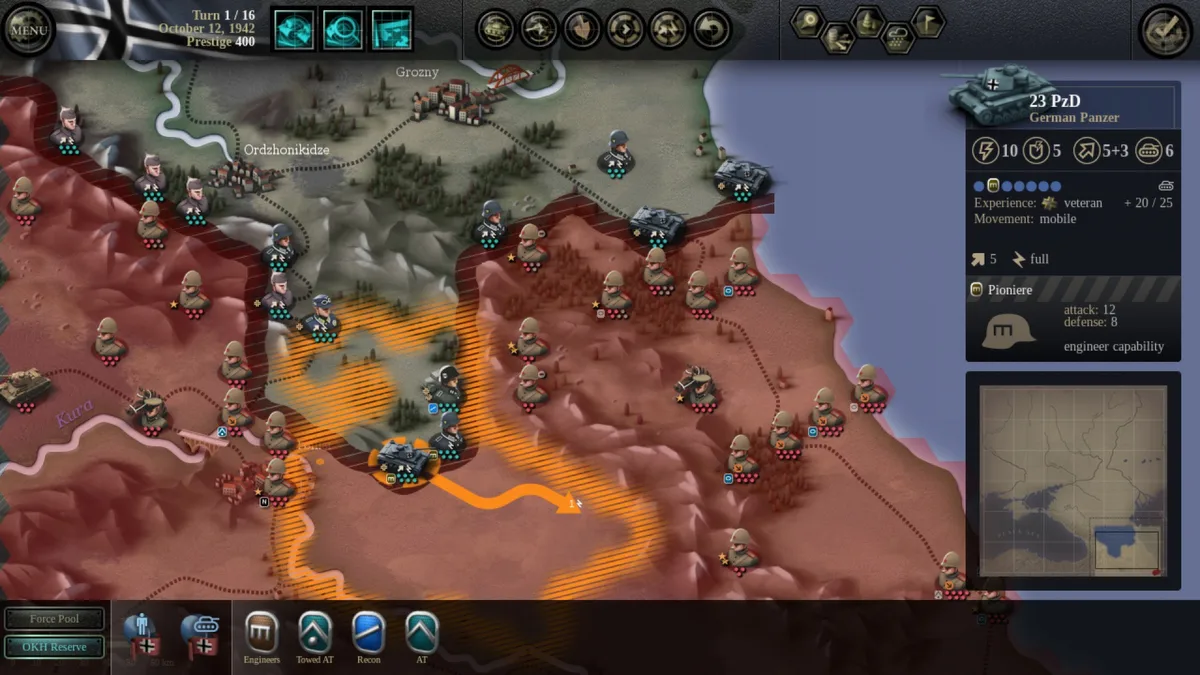
Selecting a unit displays its details in the unit sheet on the right; clicking the right mouse button or pressing Escape deselects it. Movement is modified by weather, terrain and hex ownership, with difficult hexes marked "A" in the movement table. Entering such a hex requires full movement points and action points, consumes every movement point, and locks the action point on entry. Crossing a river into difficult terrain adds no further penalty on top of that combined cost.
Enemy units that are not weak project a zone of control into neighboring hexes, shown as small dots inside the movement outline. Entering one costs the normal terrain cost plus all remaining movement points, extended movement cannot be used to enter at all, and the unit's action point is locked on entry. Units with fewer than three active steps, or units that already retreated this turn, are weak and carry a marker; they project no zone of control. Moving into enemy territory grants ownership of the route traveled, and adjacent hexes may also be swept under control.
Combat, Steps and Experience
Combat begins only between adjacent units. Selecting your unit and hovering over an enemy brings up a combat sheet with the likely outcome before you commit. The attacker spends its action point to attack unless the combat ends in an overrun, in which case the point is not expended. Each unit's manpower and equipment is divided into steps shown as dots beneath the icon. Units have seven regular steps plus possibly one specialist step, a smaller attached formation that contributes to the unit's overall characteristics; only active steps provide special abilities.
Units earn experience when attacking, gaining one experience point per casualty inflicted, and experience measures unit quality so seasoned formations fare better than newly assembled ones. Steps can be suppressed by out-of-supply conditions or when towed equipment moves, reflecting the time needed to set up such weapons after movement; suppressed steps take losses only after all active steps are gone, and towed steps suppressed by movement reactivate as soon as the player ends the turn so they defend immediately. Towed steps suppressed for other reasons do not reactivate this way.
Supply Lines and Theater Assets
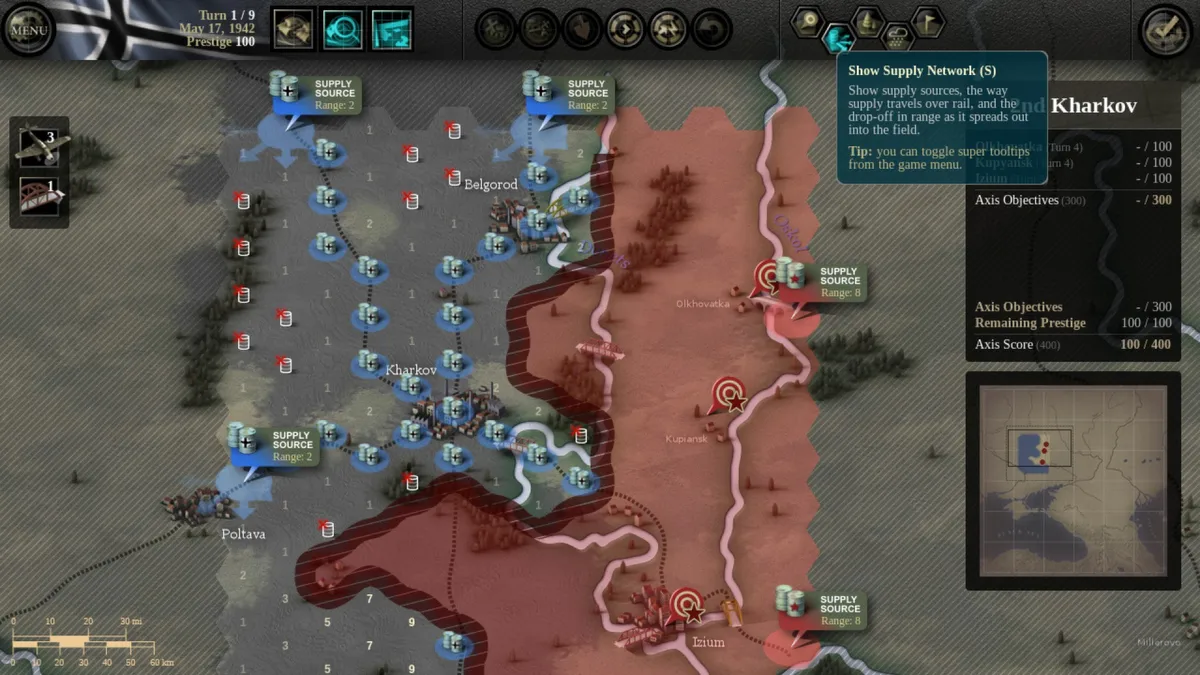
Units receive supplies once at the start of every turn, and the condition that matters is the situation at the beginning of the turn: a unit that began it unsupplied stays unsupplied even if it later moves onto a hex that is in supply. Being out of supply for several turns makes a formation progressively weaker and easier to attack. Such units are flagged with a red exclamation point on their icon, and part of their steps shown in grey are suppressed, representing personnel and equipment out of action; these suppressed steps do not count in combat but remain part of the unit.
Theater assets are committed to concrete tasks. Assigning logistics assets to a supply source extends its range by one, and the effect appears at once in the supply view, though that view cannot be fully trusted for predicting next-turn supply because weather shifts between turns and can invalidate the current picture. Bridging assets build, repair or destroy bridges where you own hexes on both riverbanks, or on one bank if the far side holds no enemy unit or zone of control, and construction is limited to suitable locations. Air attacks cannot target enemy units with an active anti-aircraft specialist step, nor units directly beside such a formation; when the target sits in a city, each air attack carries a 10 percent chance of reducing it to ruins.
Objectives, Prestige and the Campaign Map
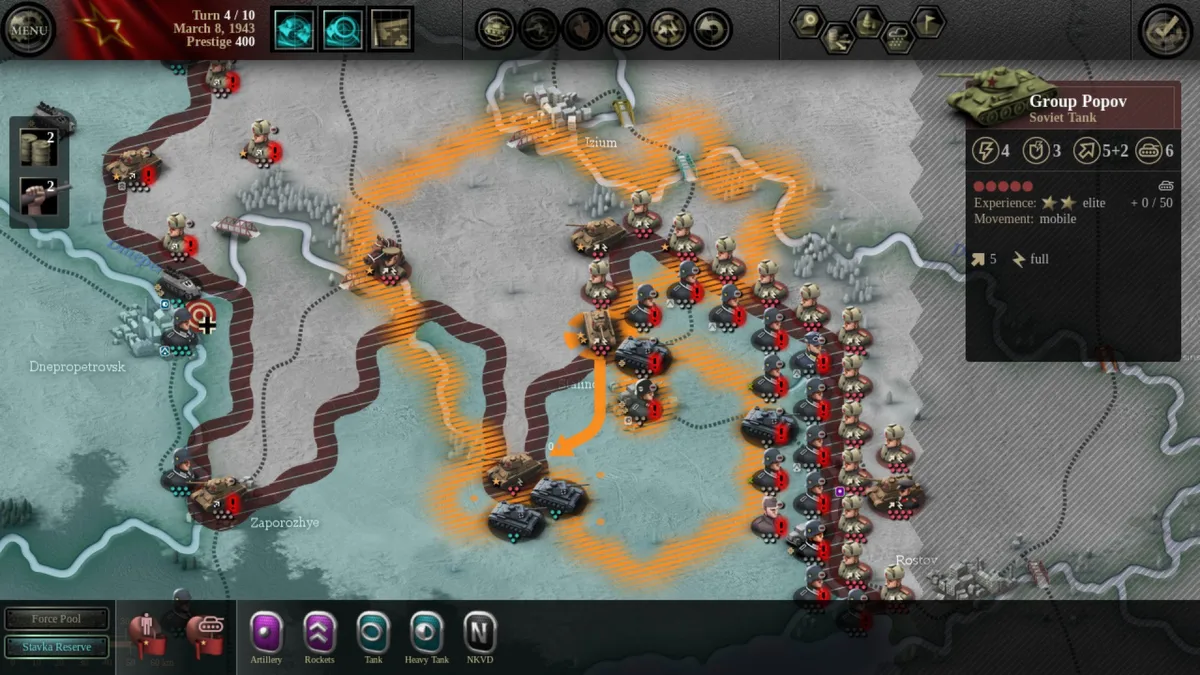
Scenarios assign objectives as target markers placed directly on the hex map, and the win condition is absolute: every single objective must be captured. Meeting that requirement opens the outcome range, with the result graded as a victory or a decisive victory depending on how many turns the capture takes. The campaign is a succession of scenarios in which you command every battle fought by your side, so it is not the career of one officer but an exploration of the period's historical and what-if engagements. A campaign map tracks progress between scenarios; after completing one, you select the next scenario from that map.
Completing a scenario can unlock new scenarios, and which ones open depends on the scenario and the precise outcome achieved, such as a victory versus a decisive victory. Losing any one scenario ends the campaign immediately. Prestige points represent the influence your theater command holds with high command and its political masters. During a scenario you can spend prestige to buy units and reinforcements from the OKH or Stavka reserve that would not otherwise be available. Prestige is earned at the end of a scenario when your score exceeds a certain threshold, tying performance to the reserves you can draw on later.
Sources & further reading.
- Unity of Command: Stalingrad Campaign — official game profileRetrieved Oct 27, 2026
- Unity of Command: Stalingrad Campaign — official game profile — publisher-supplied gameplay manualRetrieved Oct 27, 2026
First published .